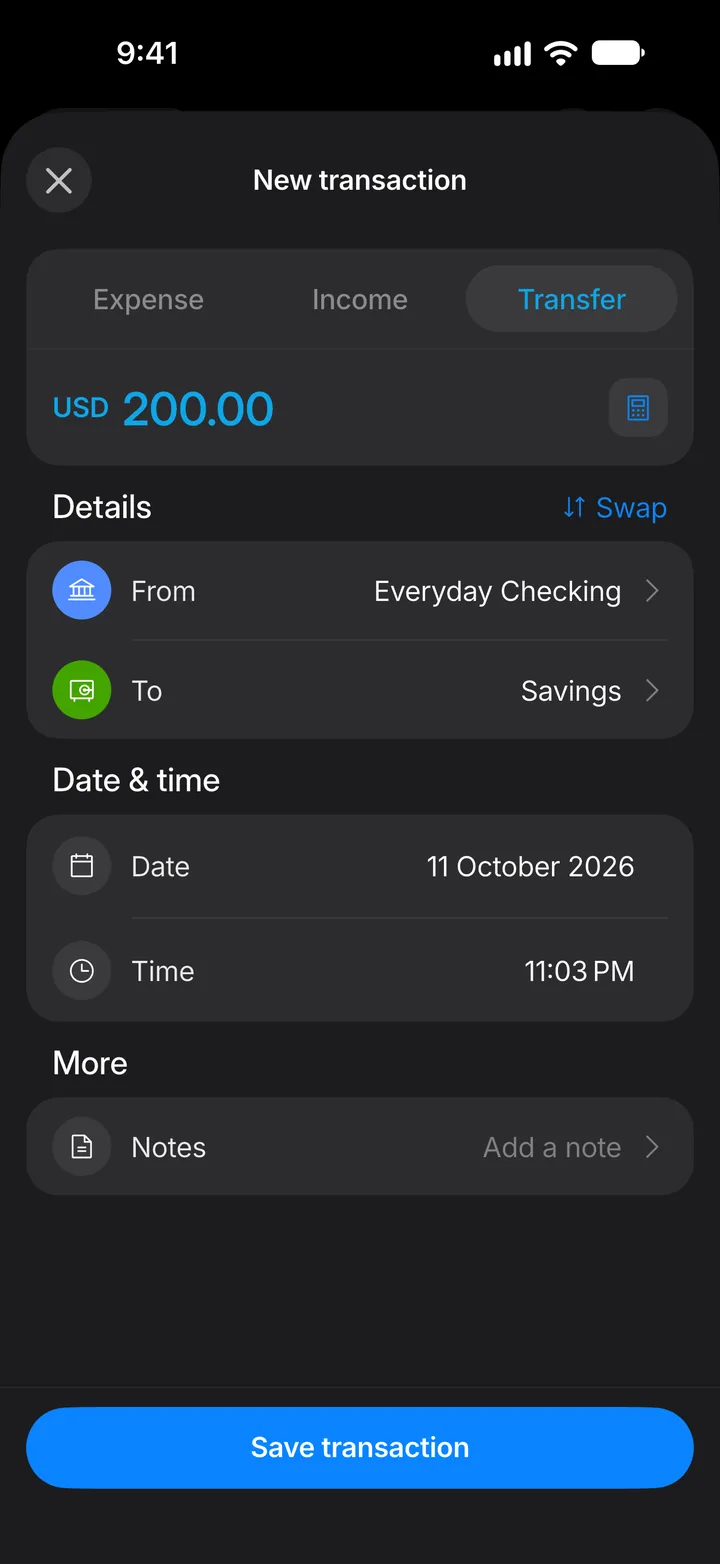
Move money between accounts
Record a transfer, like paying off a card or putting money into savings, without counting it as spending.
8 steps
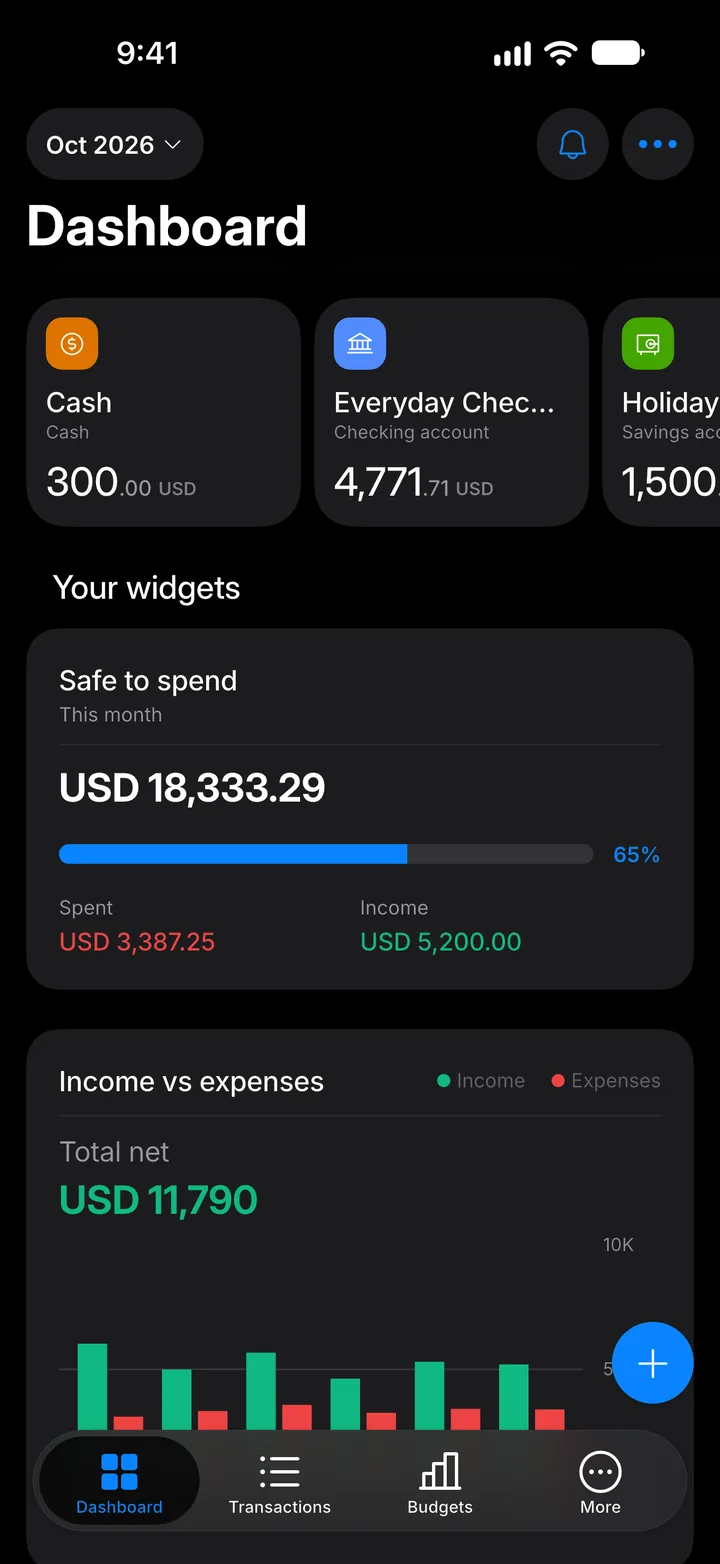
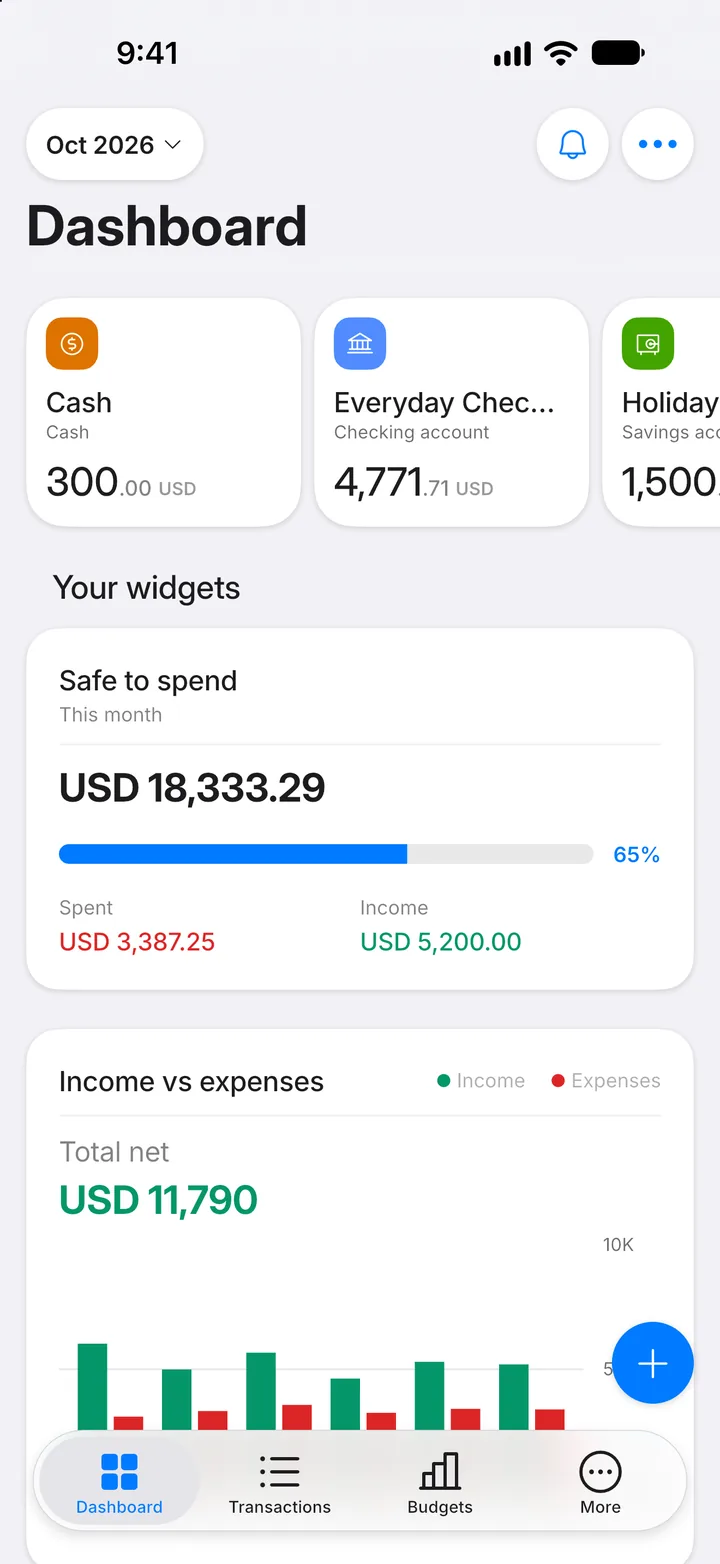
Step 1: Tap +
On the Dashboard, tap the + button.
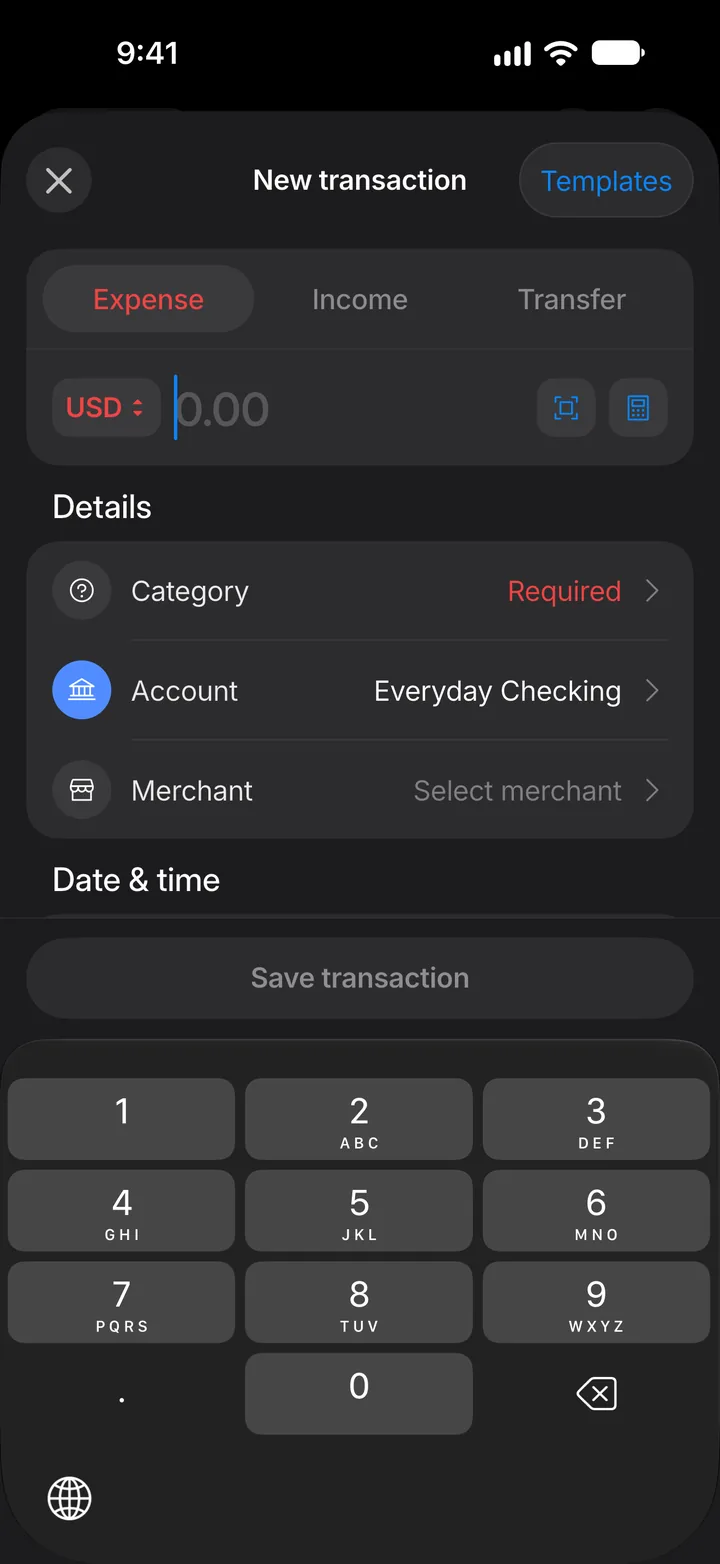
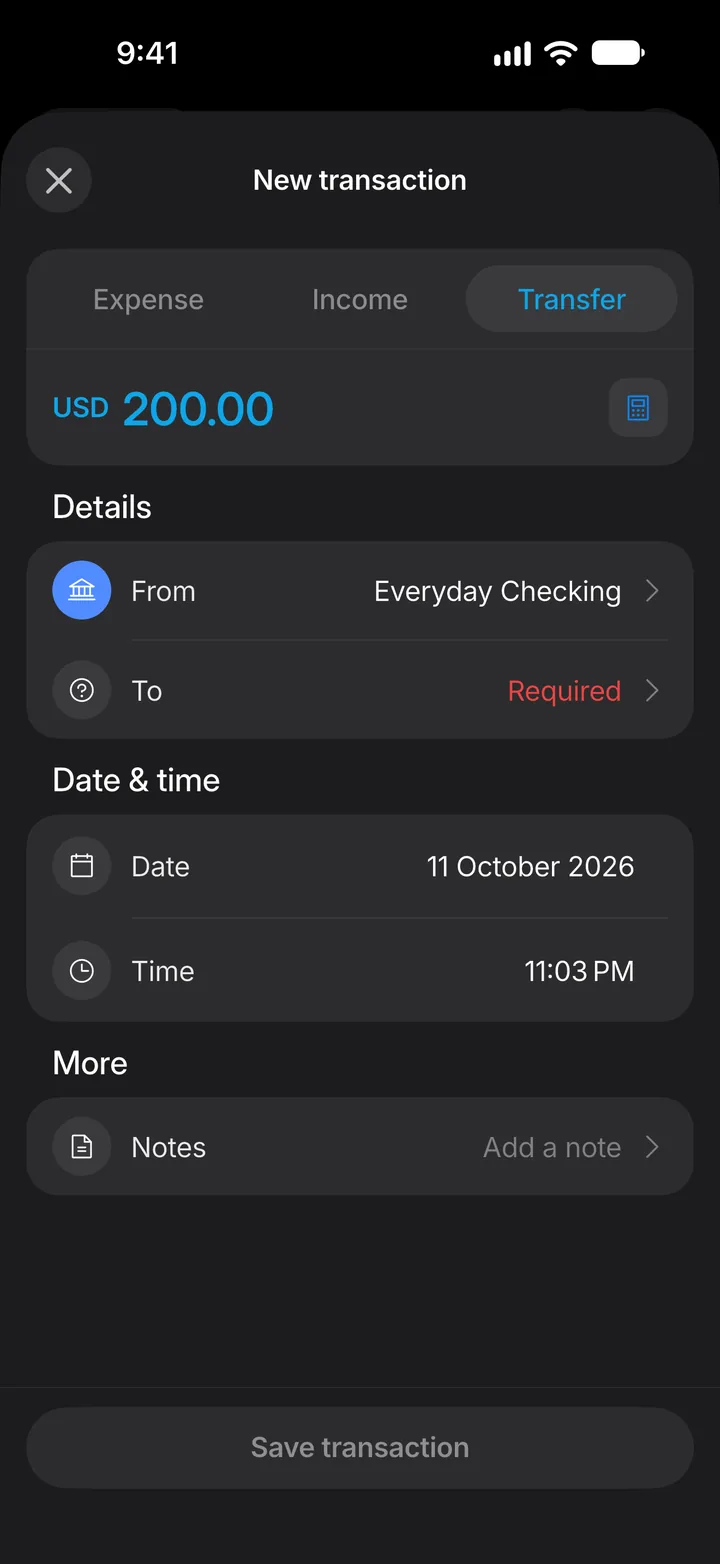
Step 2: Choose Transfer
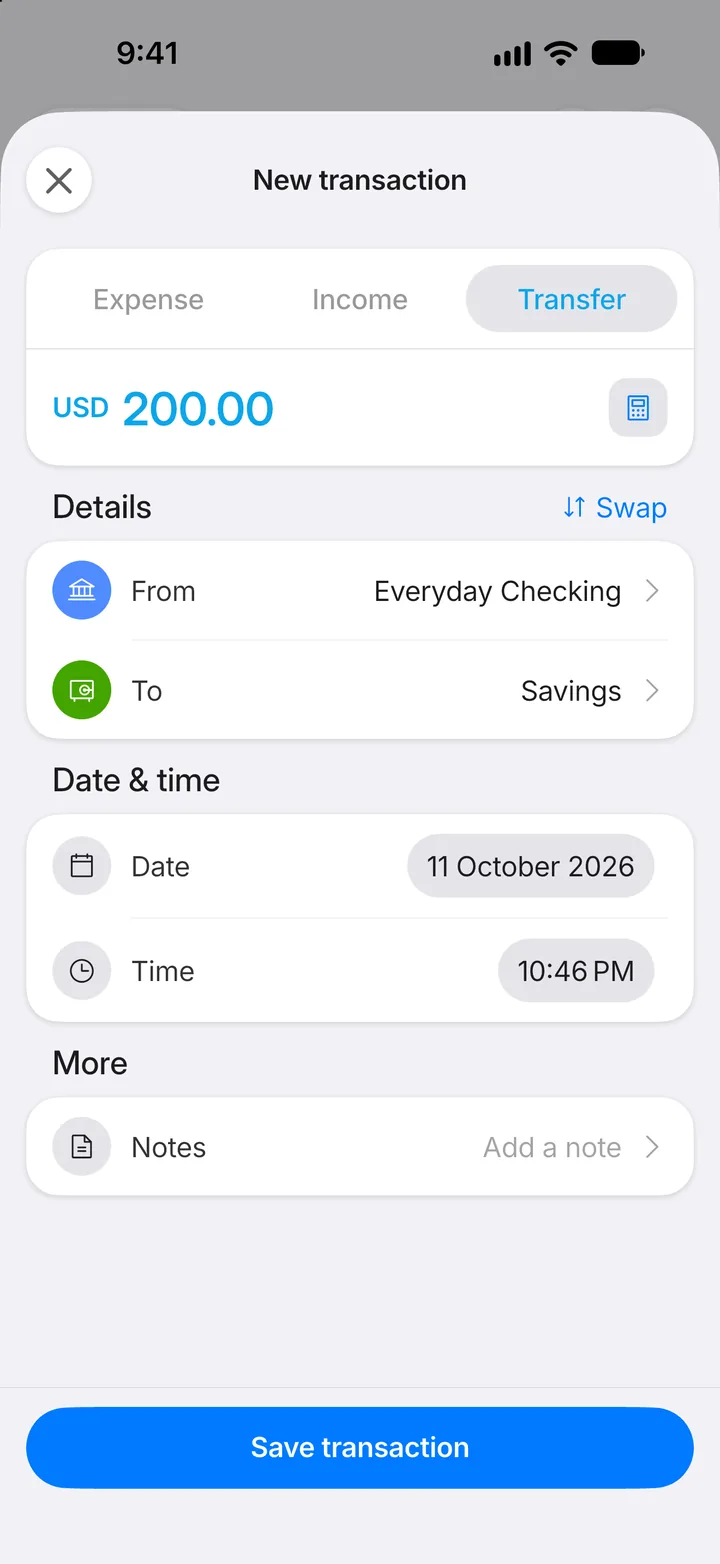
Tap Transfer at the top.
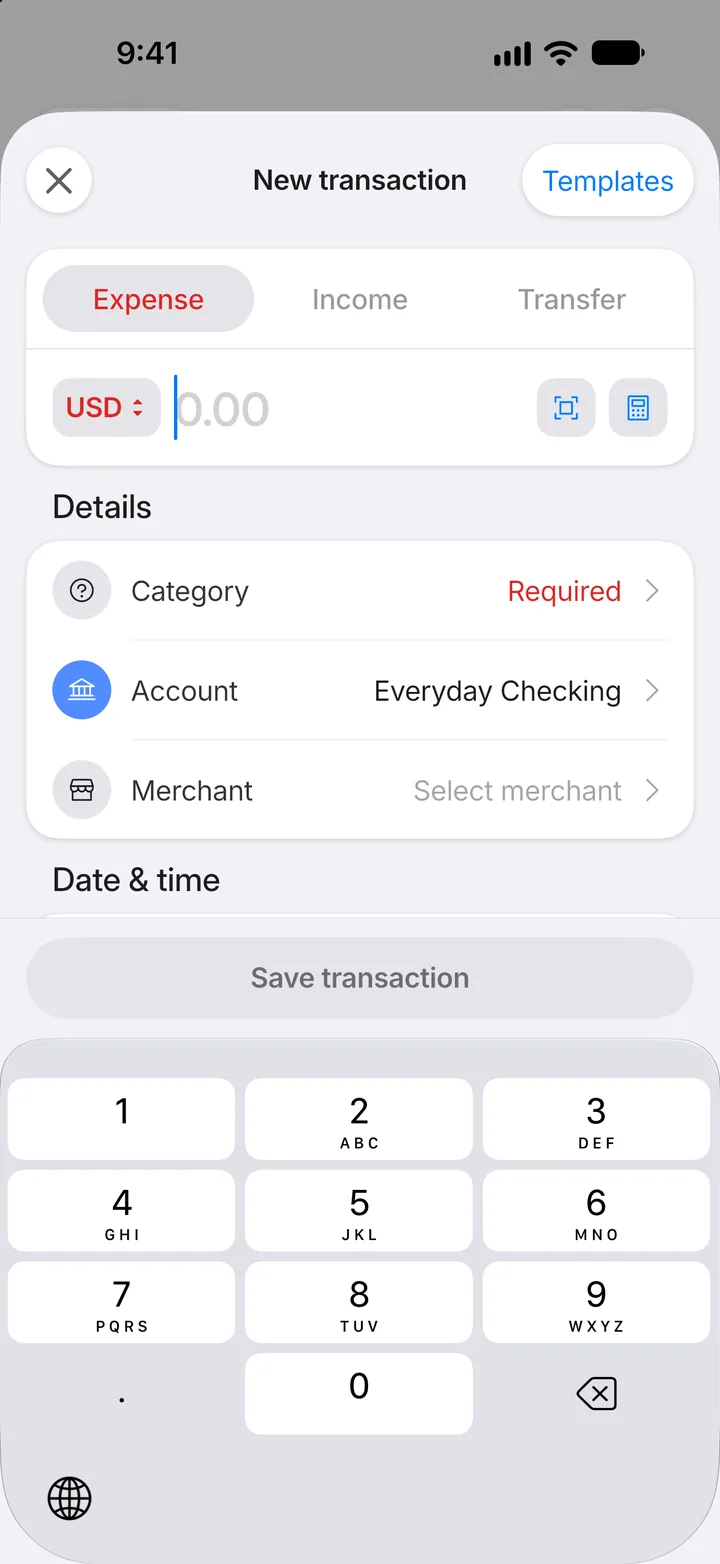
Step 3: Enter the amount
Type how much you moved.
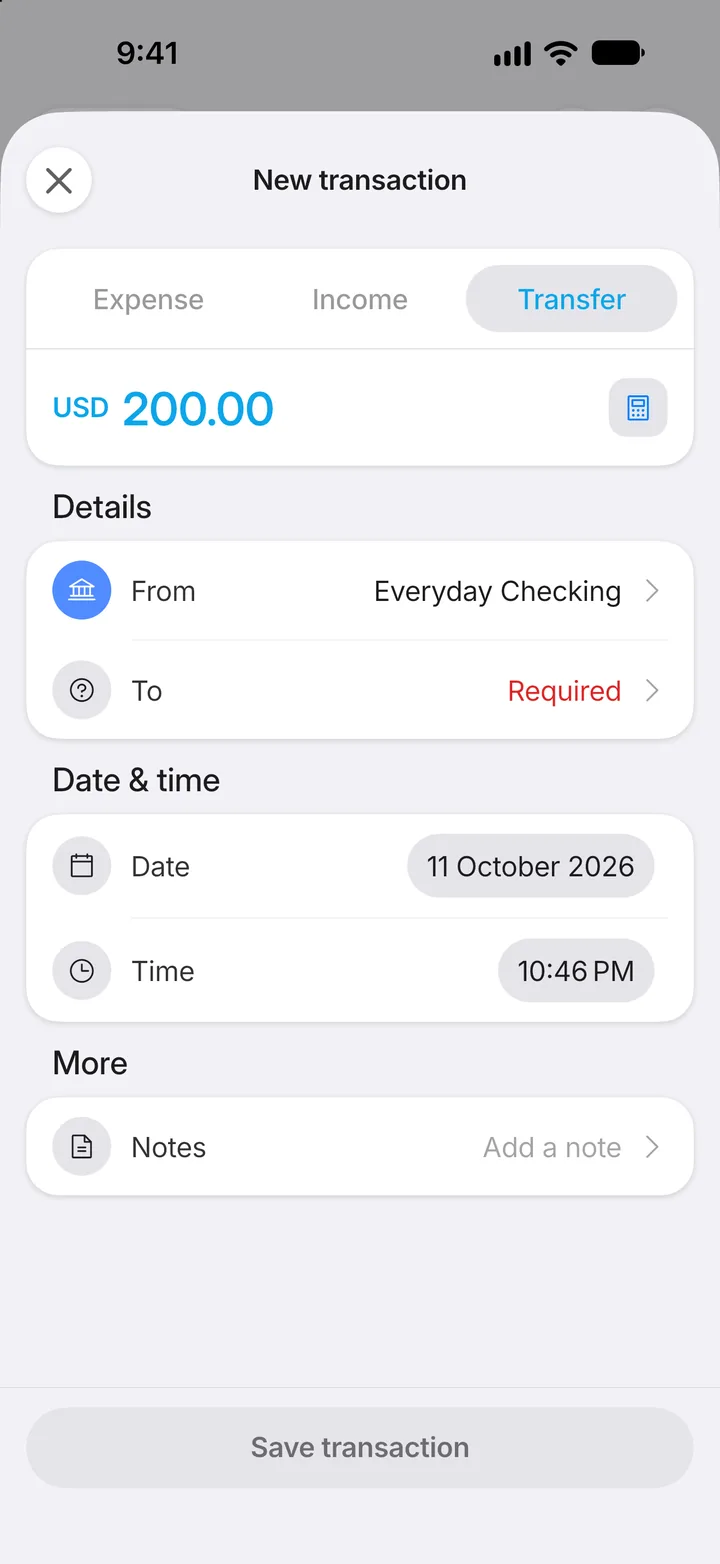
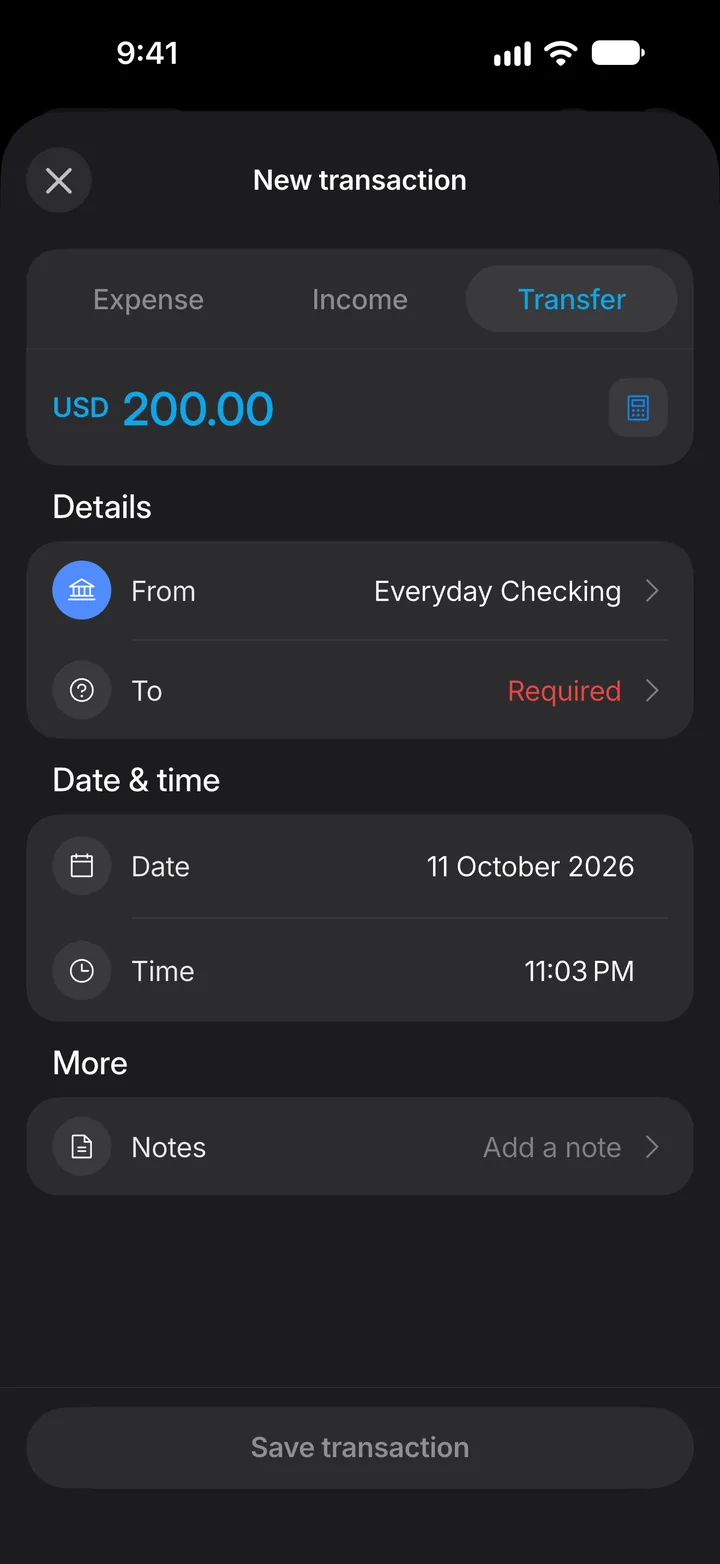
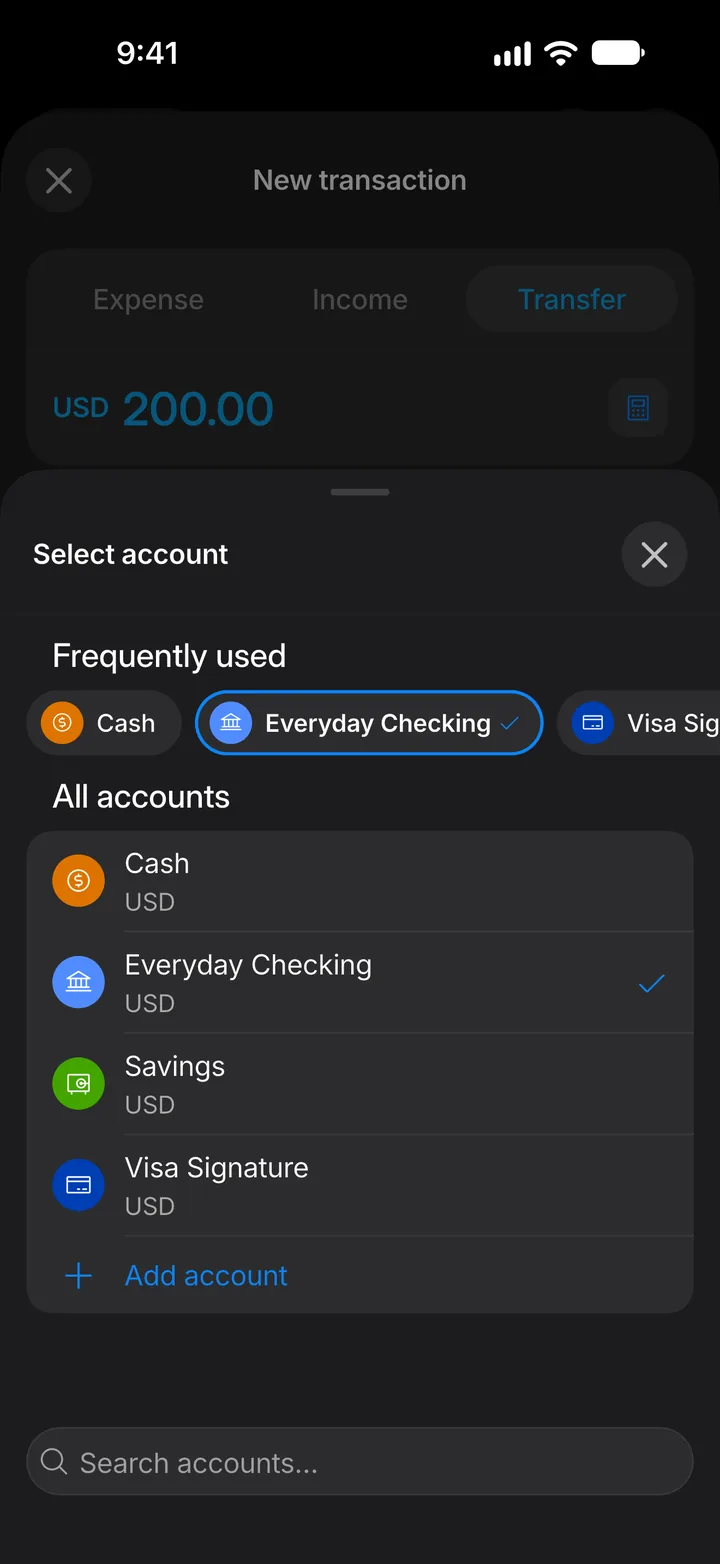
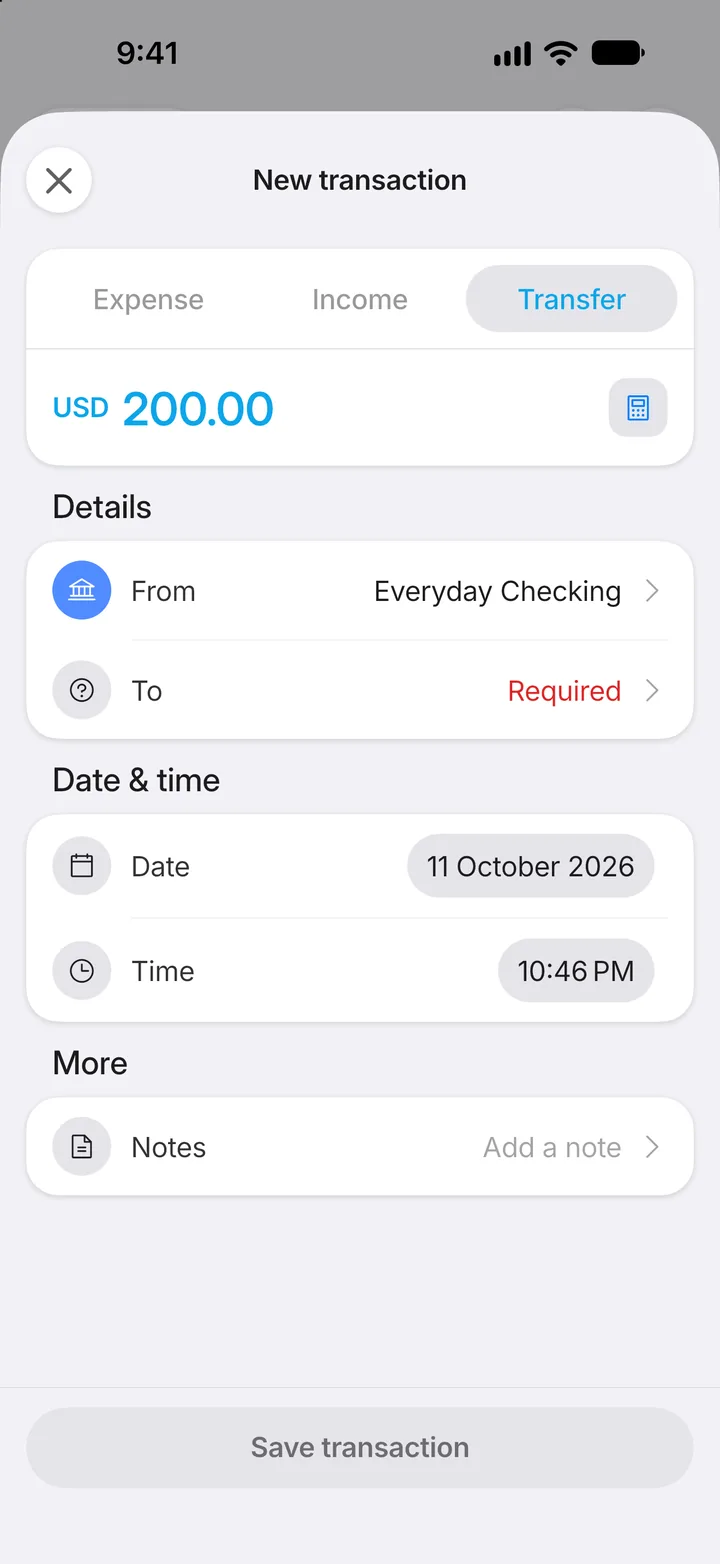
Step 4: Choose where it came from
Tap From.
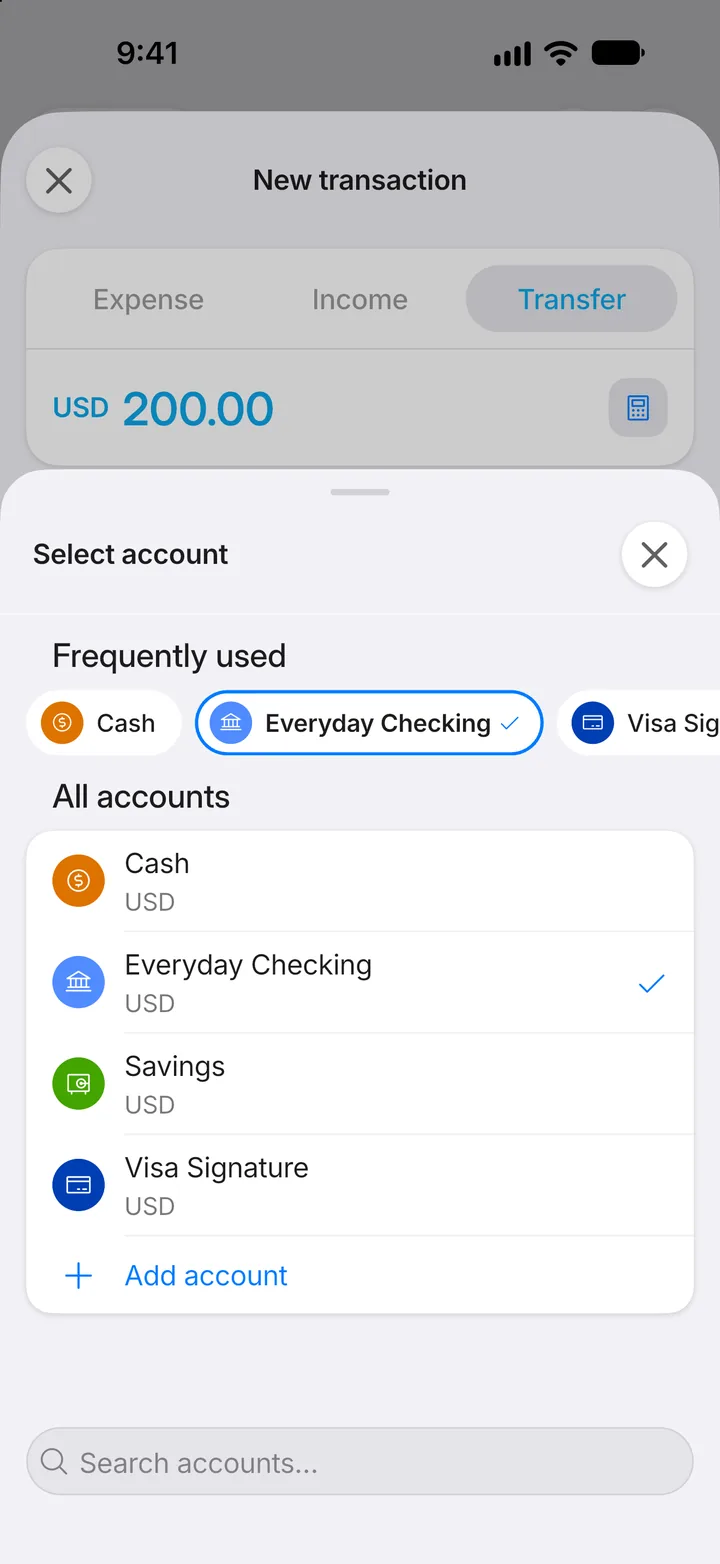
Step 5: Pick the account
Choose the account the money left.
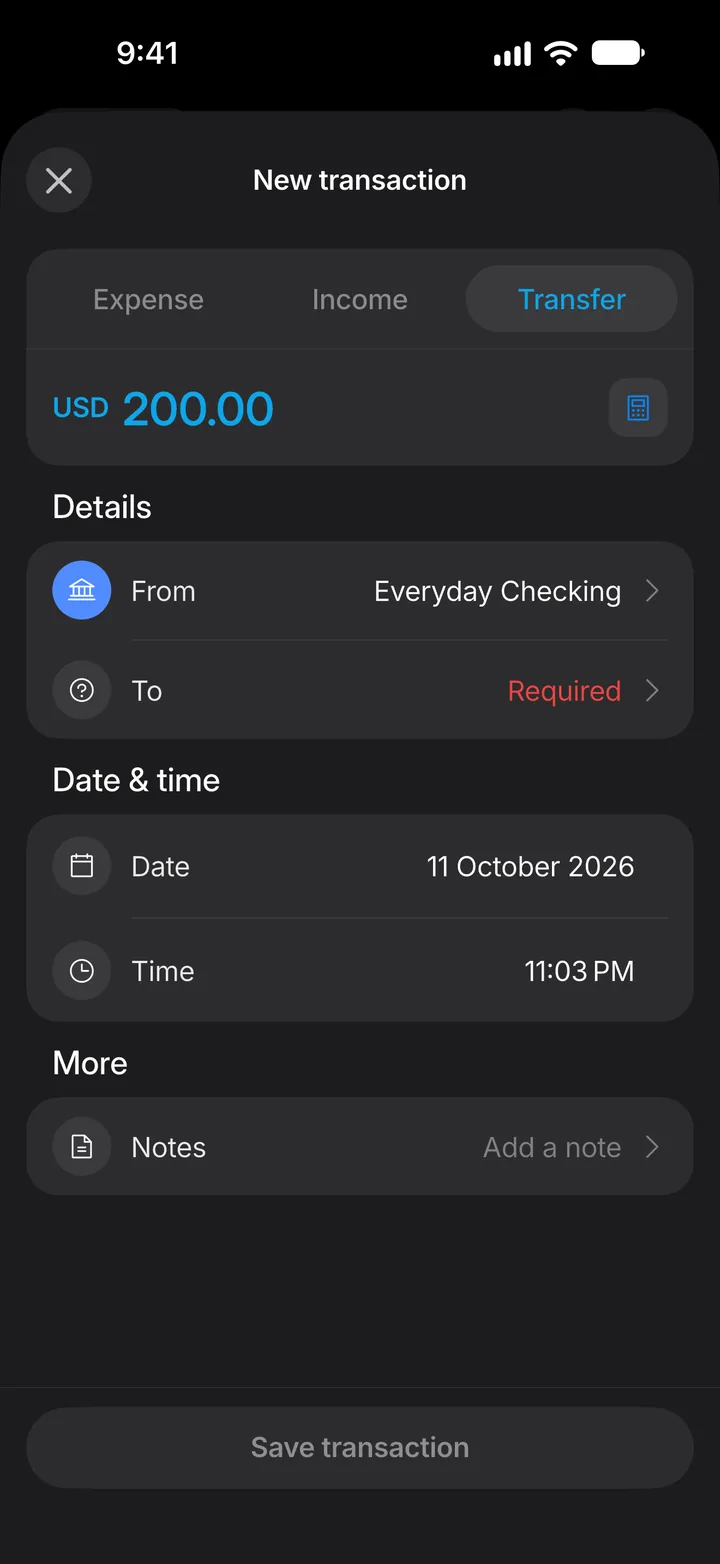
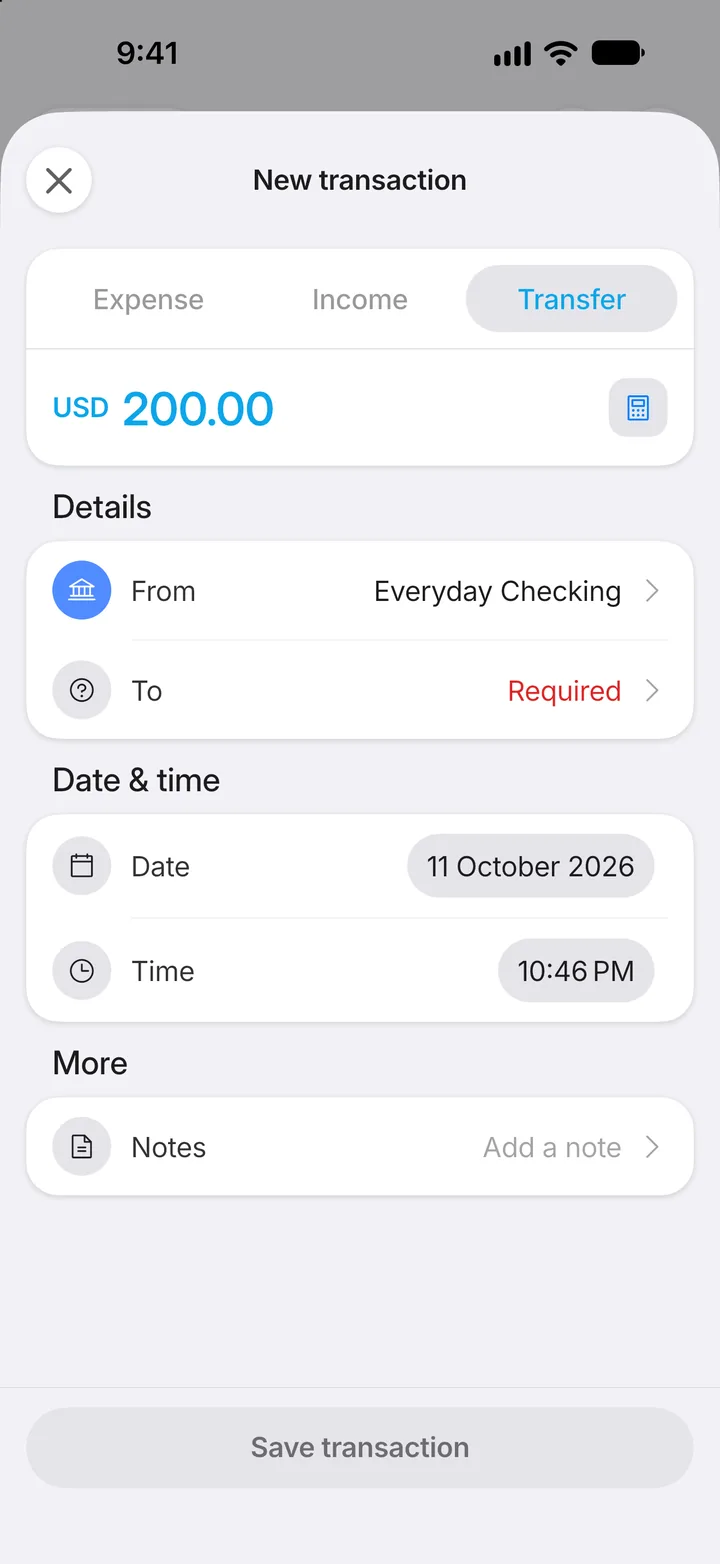
Step 6: Choose where it went
Tap To.
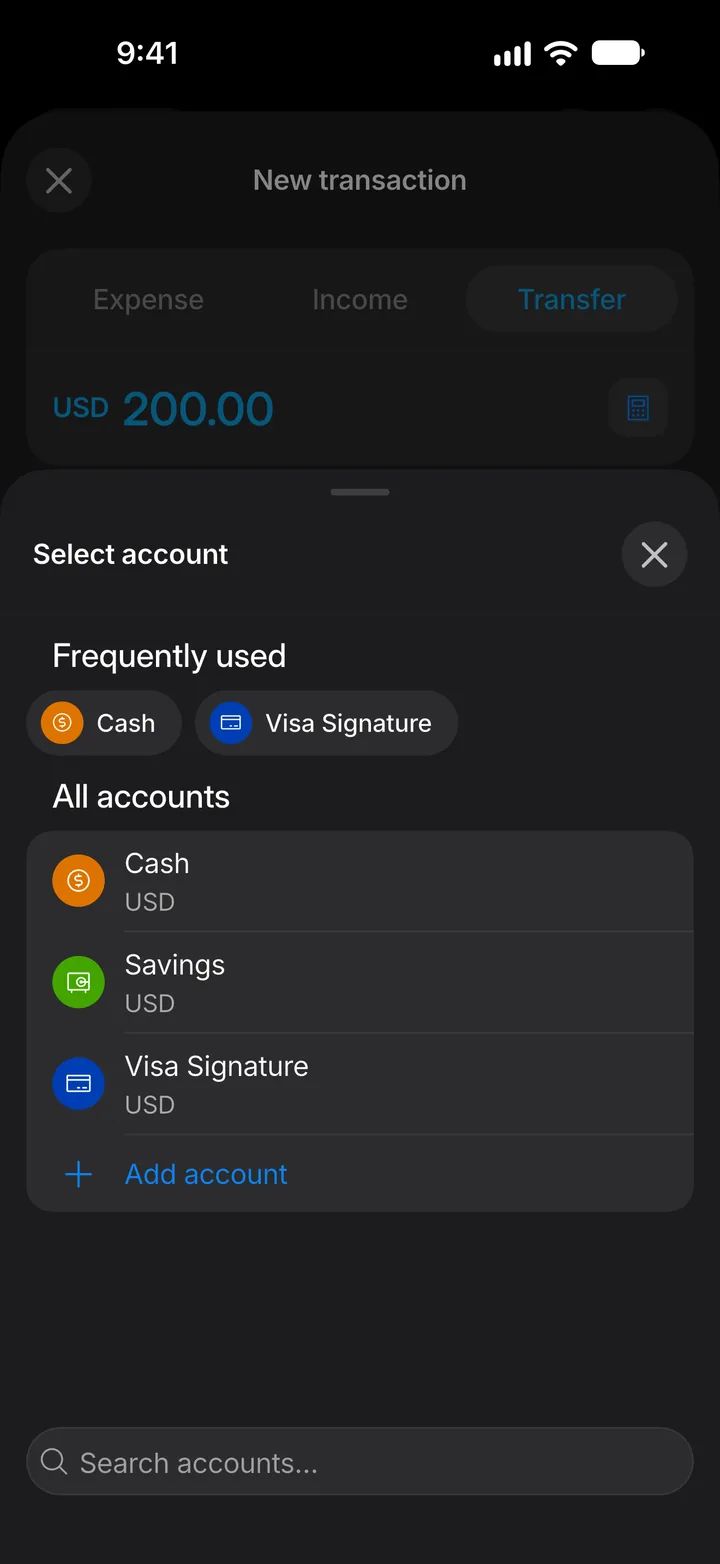
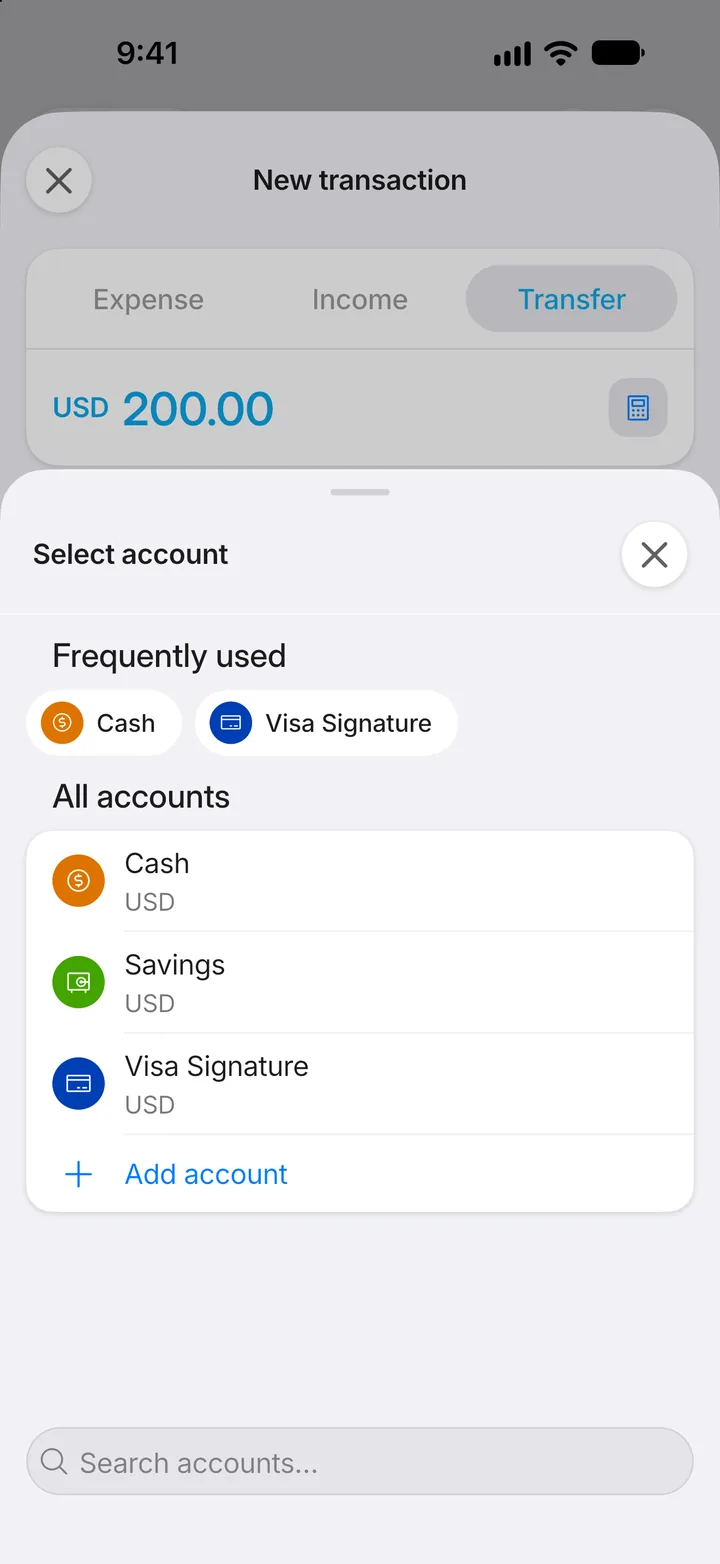
Step 7: Pick the account
Choose the account that received it.
Step 8: Save
Tap Save transaction. Both balances update, and the transfer isn't counted as income or spending.