Change several transactions at once
Select transactions and recategorize, move or delete them together.
6 steps
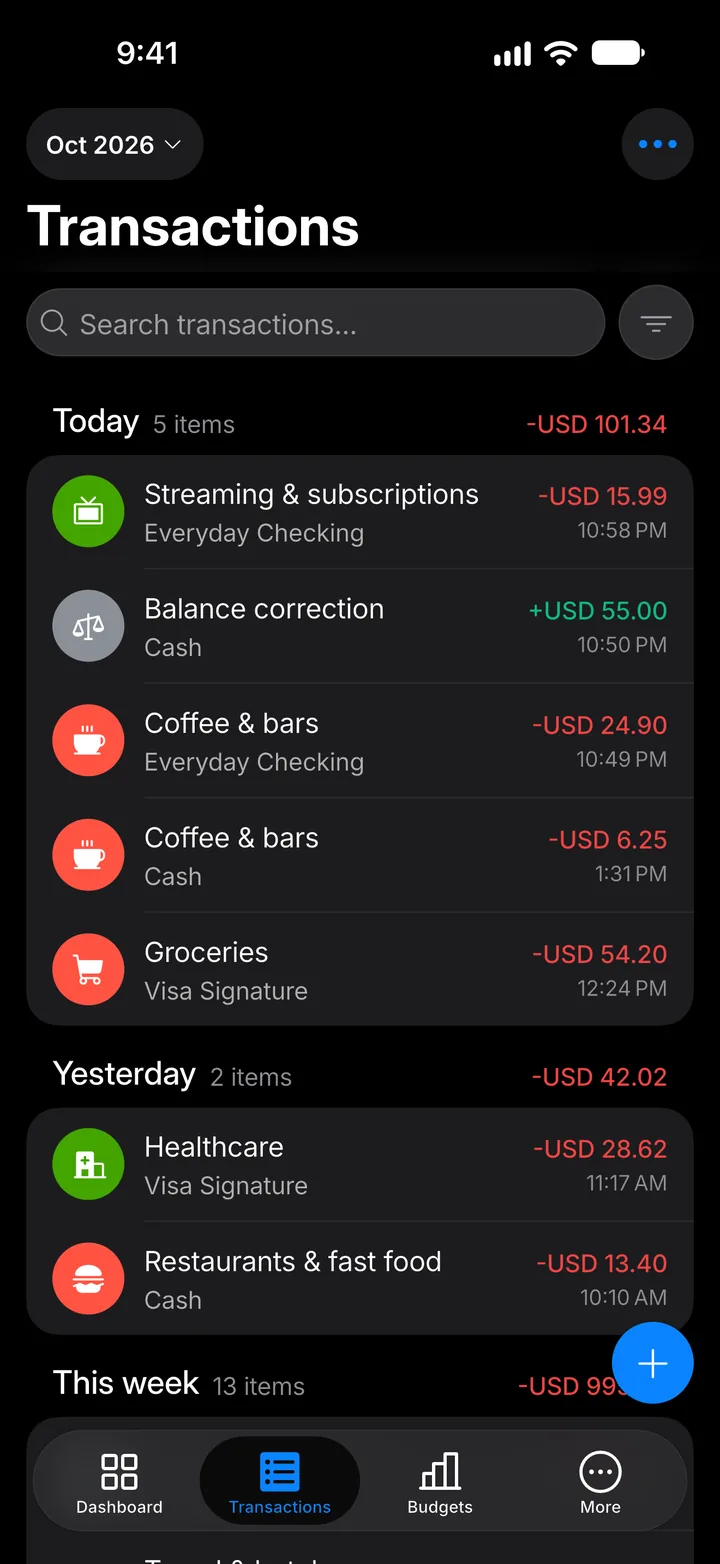
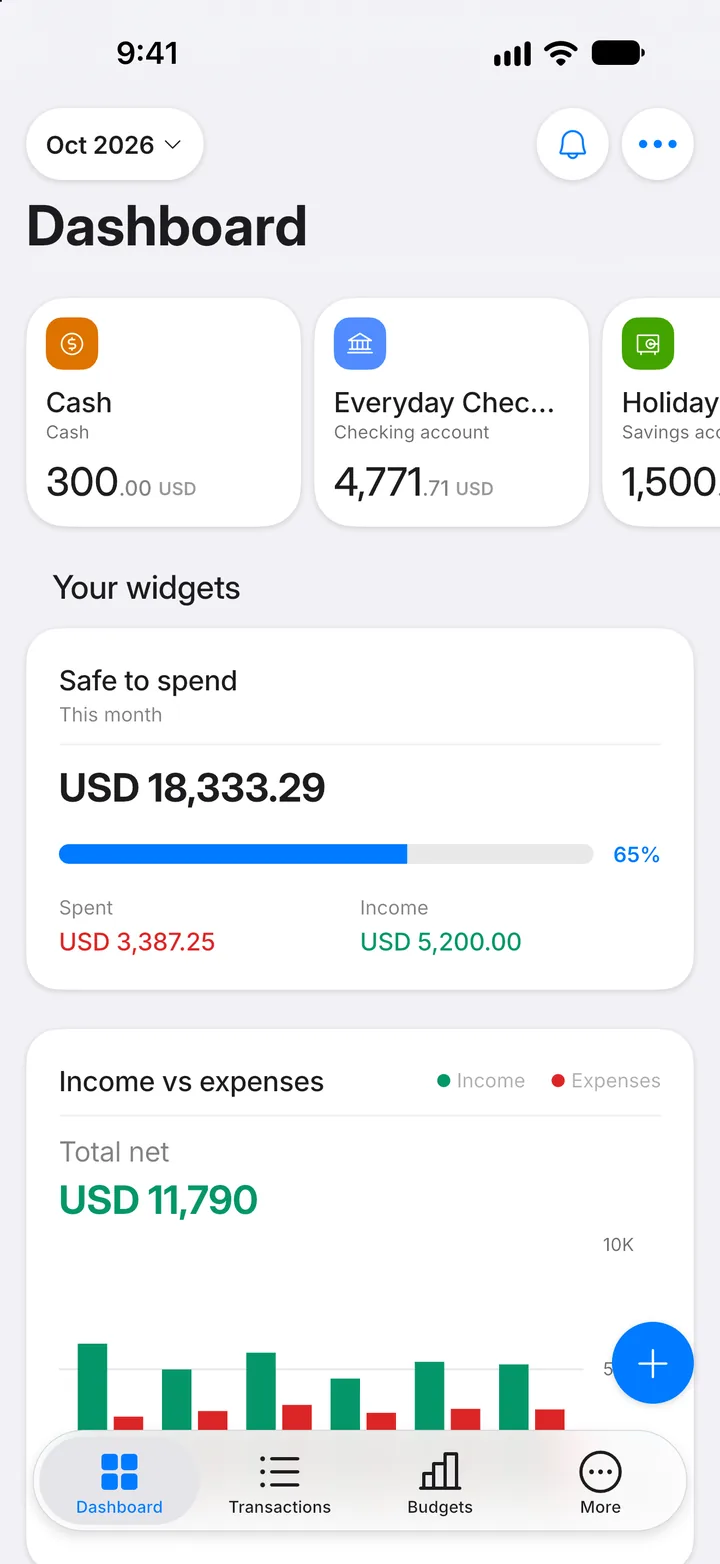
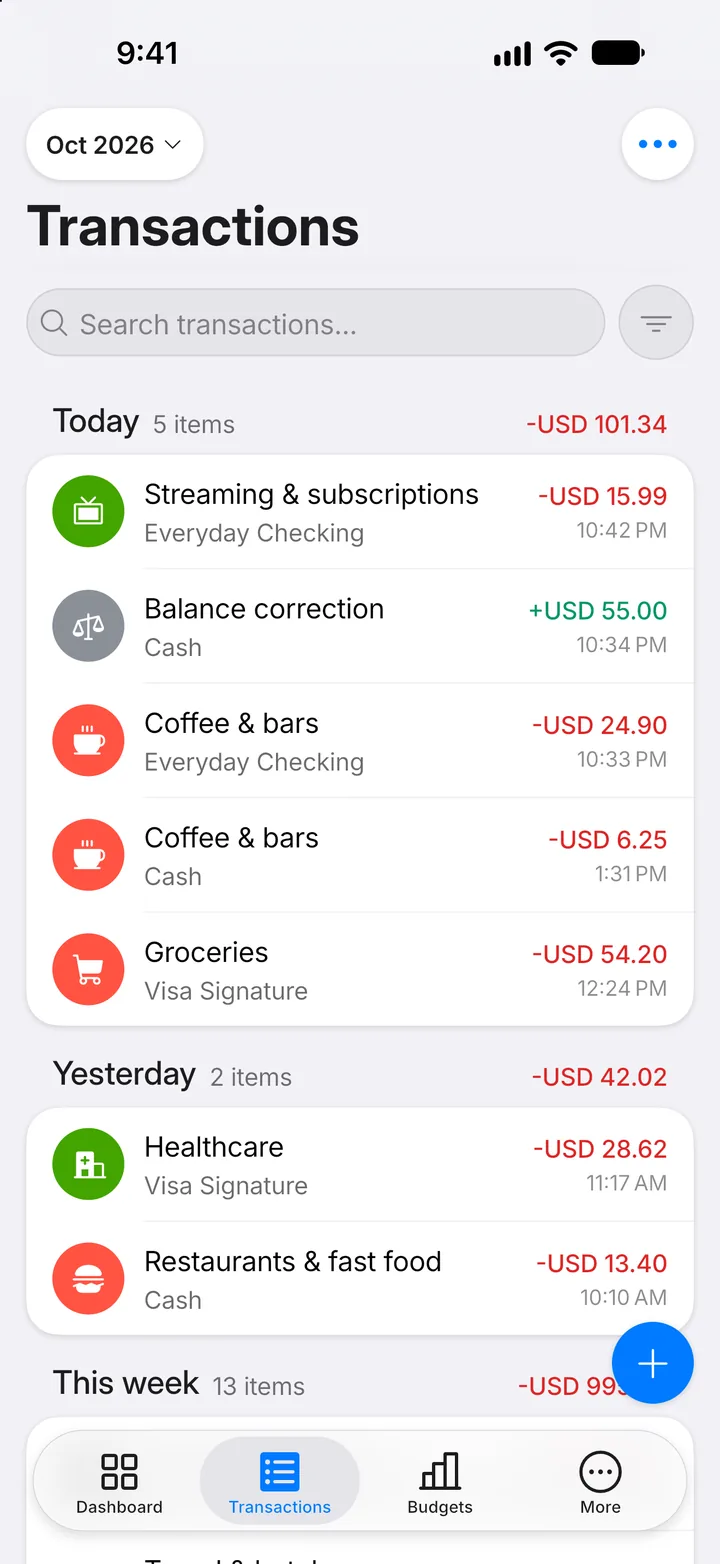
Step 1: Open Transactions
Tap the Transactions tab.
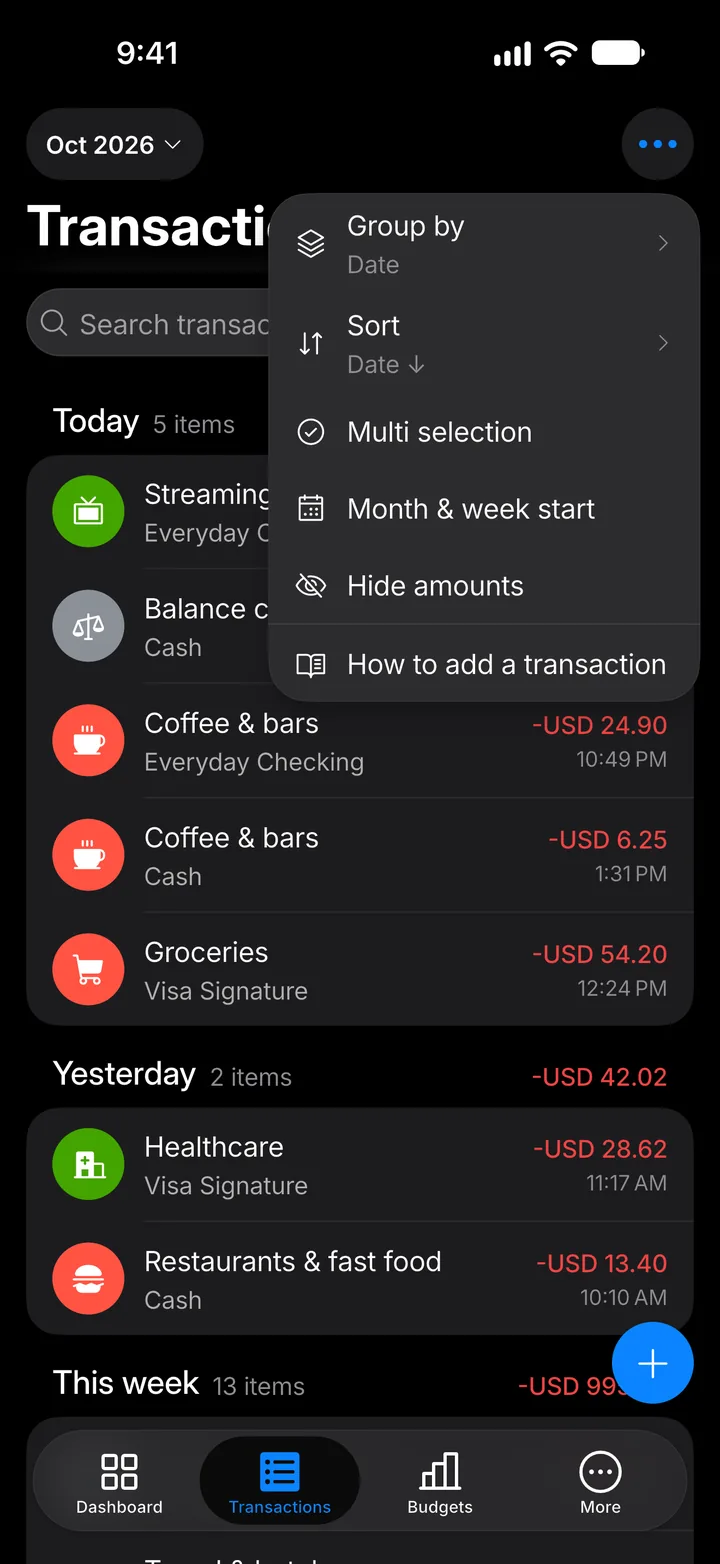
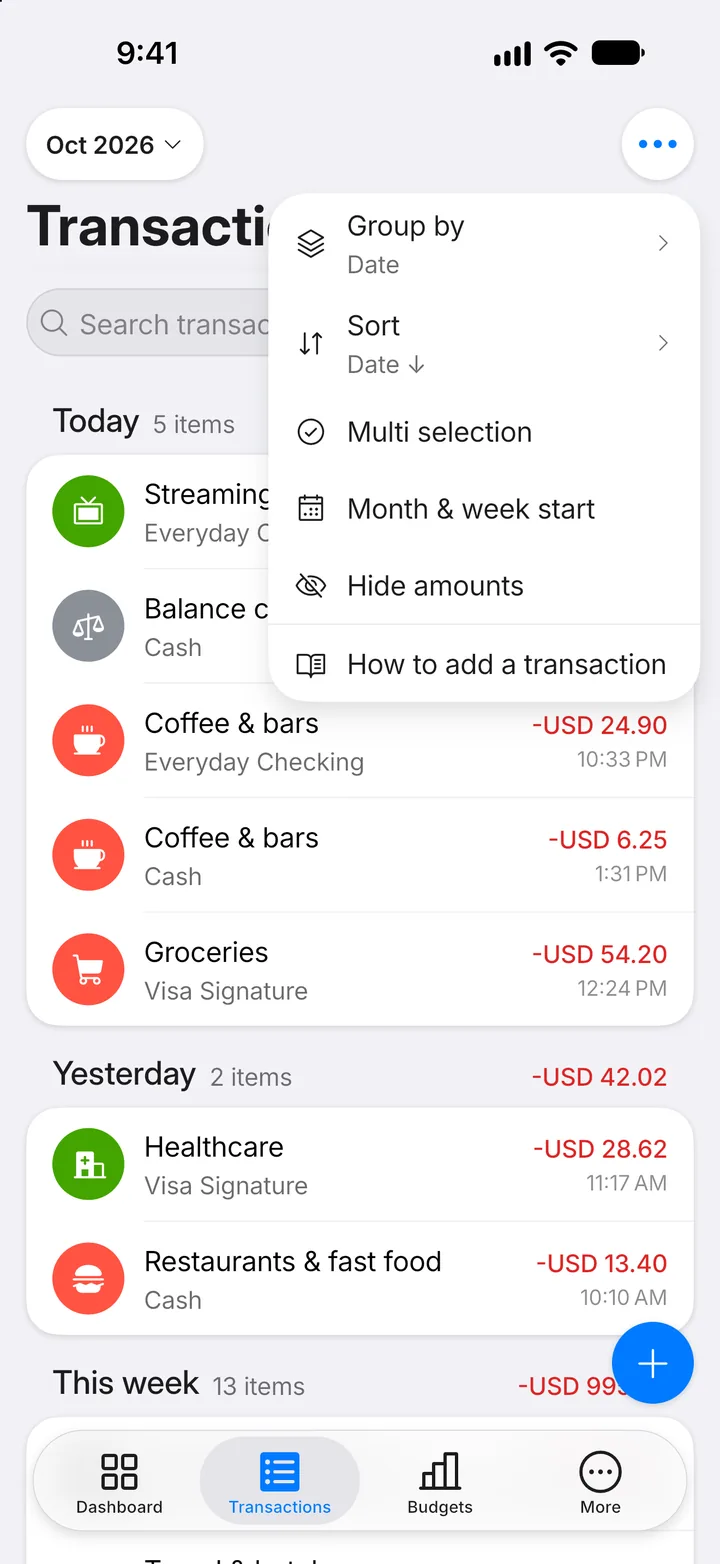
Step 2: Open the menu
Tap ••• at the top.
Step 3: Start selecting
Tap Multi selection.
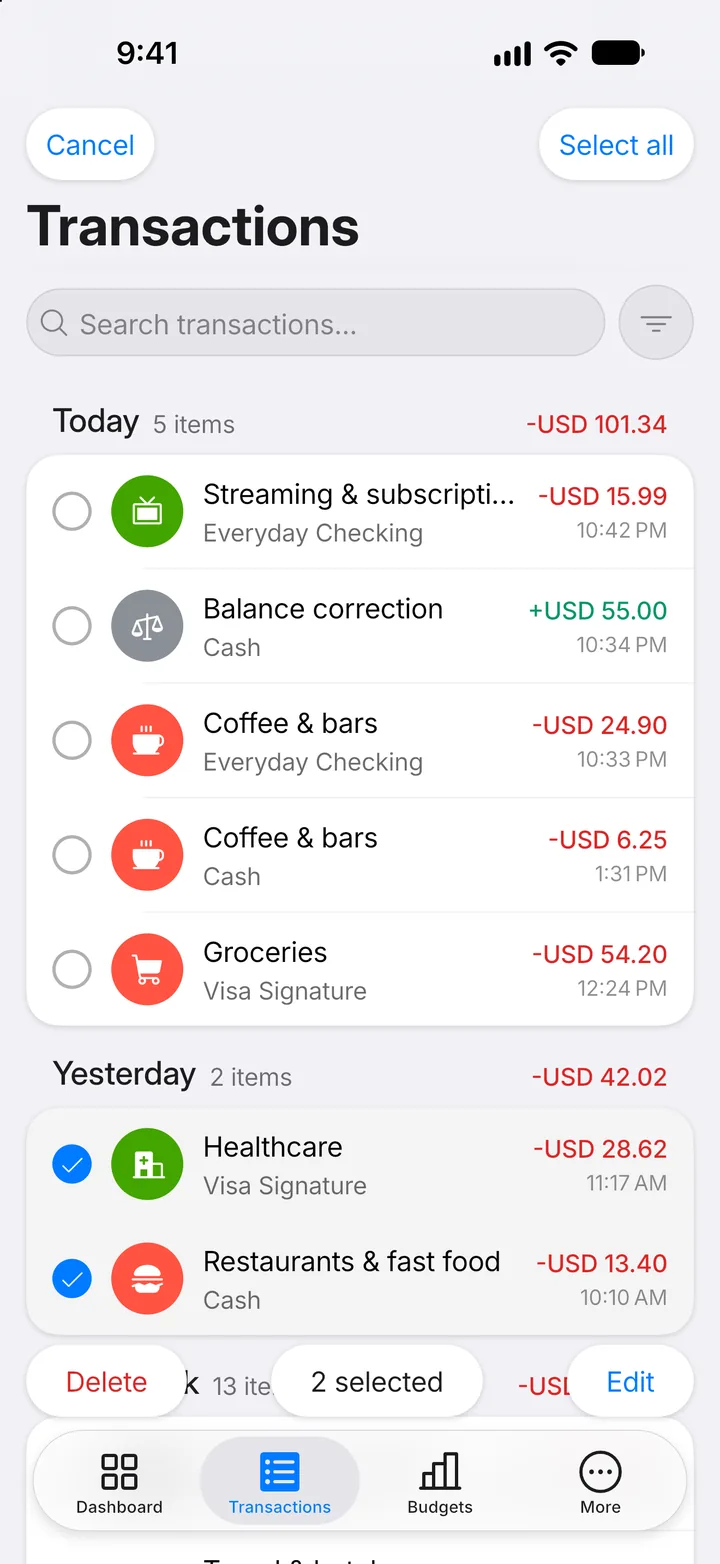
Step 4: Select transactions
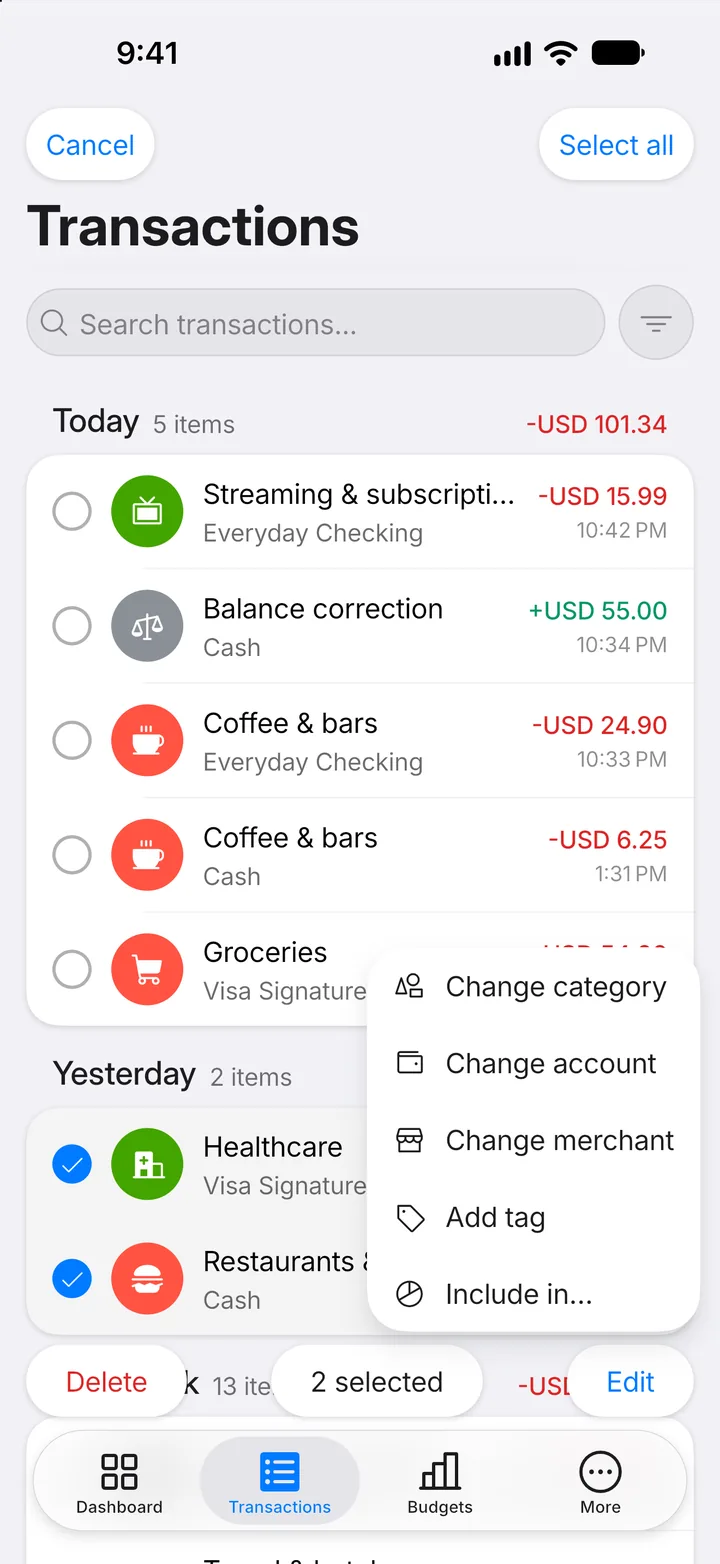
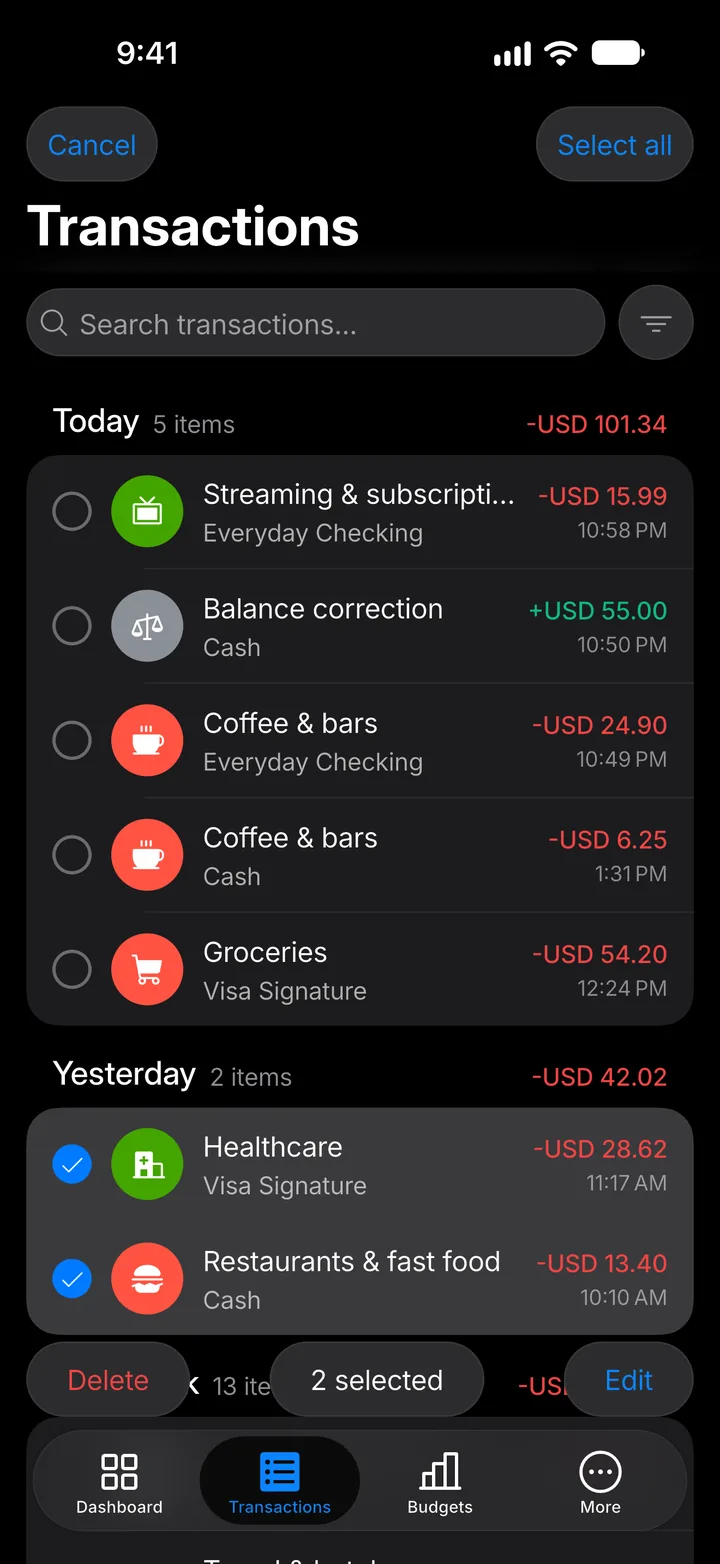
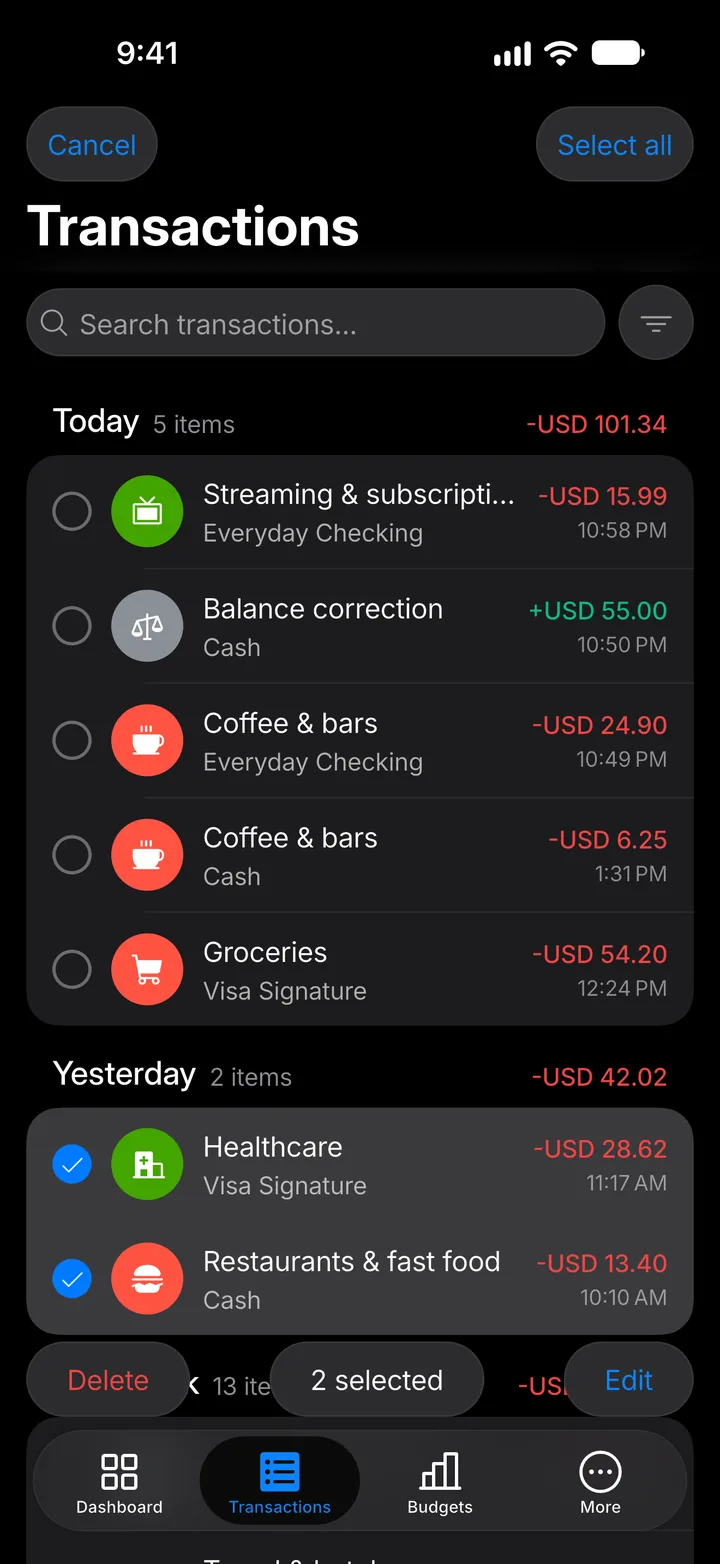
Tap each transaction you want to change. Select all at the top selects them all.
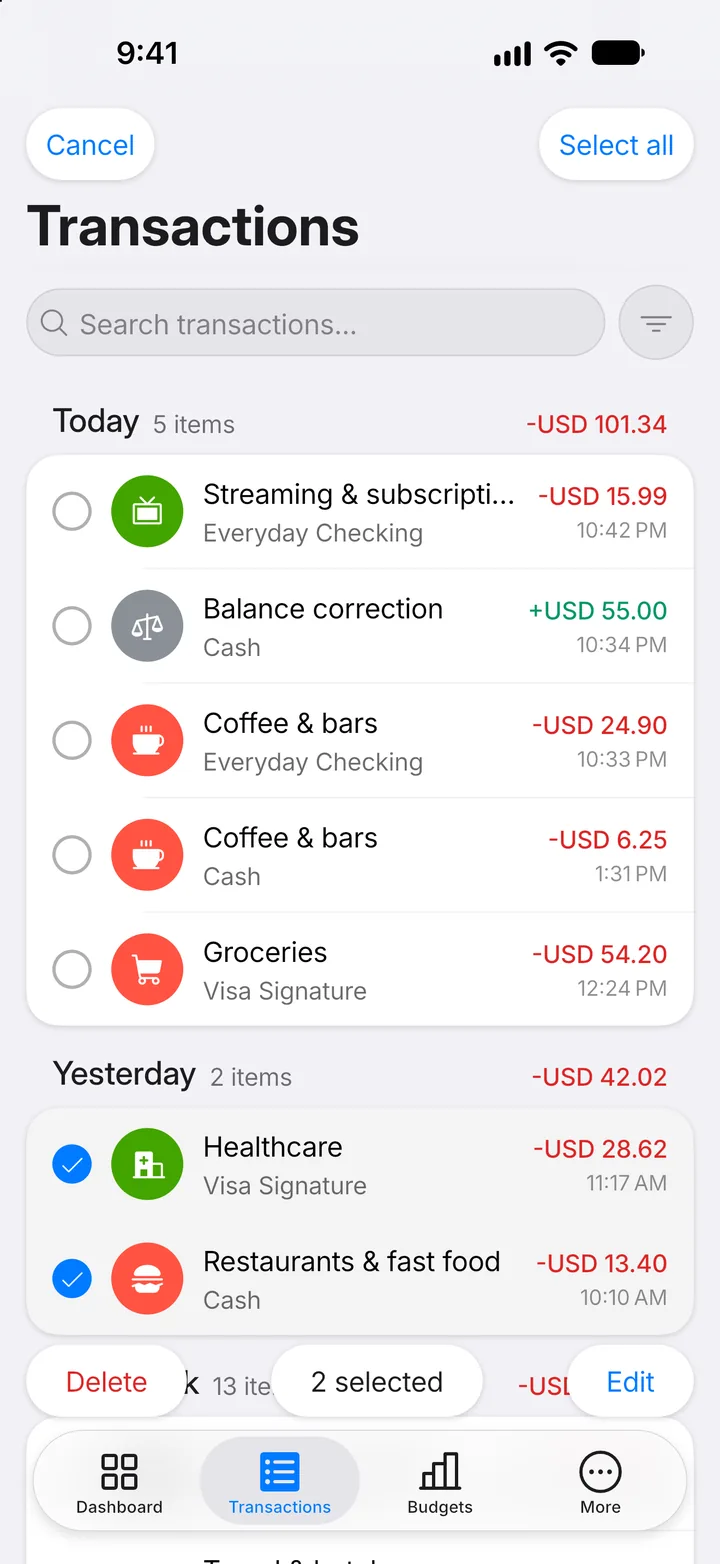
Step 5: Tap Edit
Tap Edit at the bottom. Delete removes everything you selected.
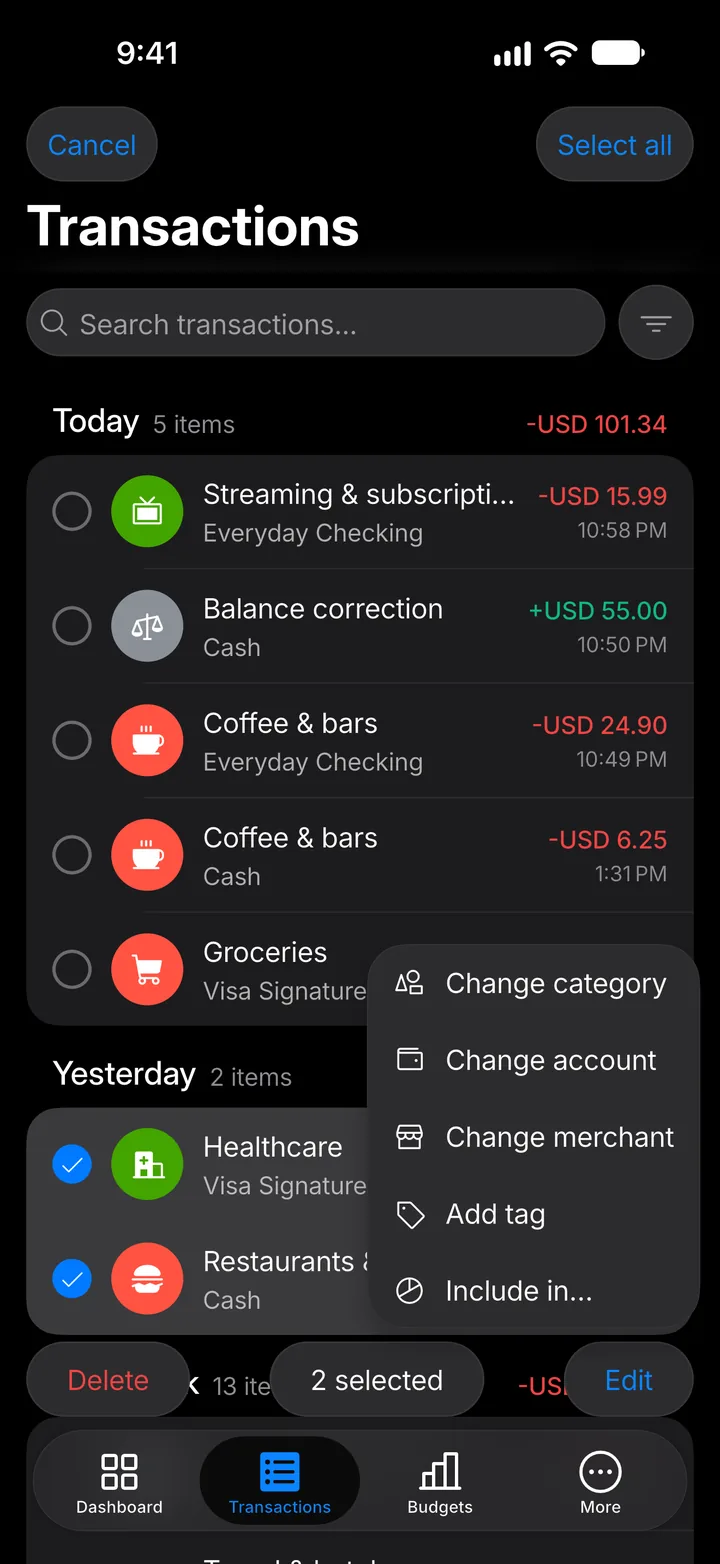
Step 6: Choose the change
Change the category, account or merchant, add a tag, or choose what they count towards. When you're done, tap Cancel at the top.