Lock the app with Face ID
Ask for Face ID, Touch ID or your passcode before Expenselix opens.
4 steps
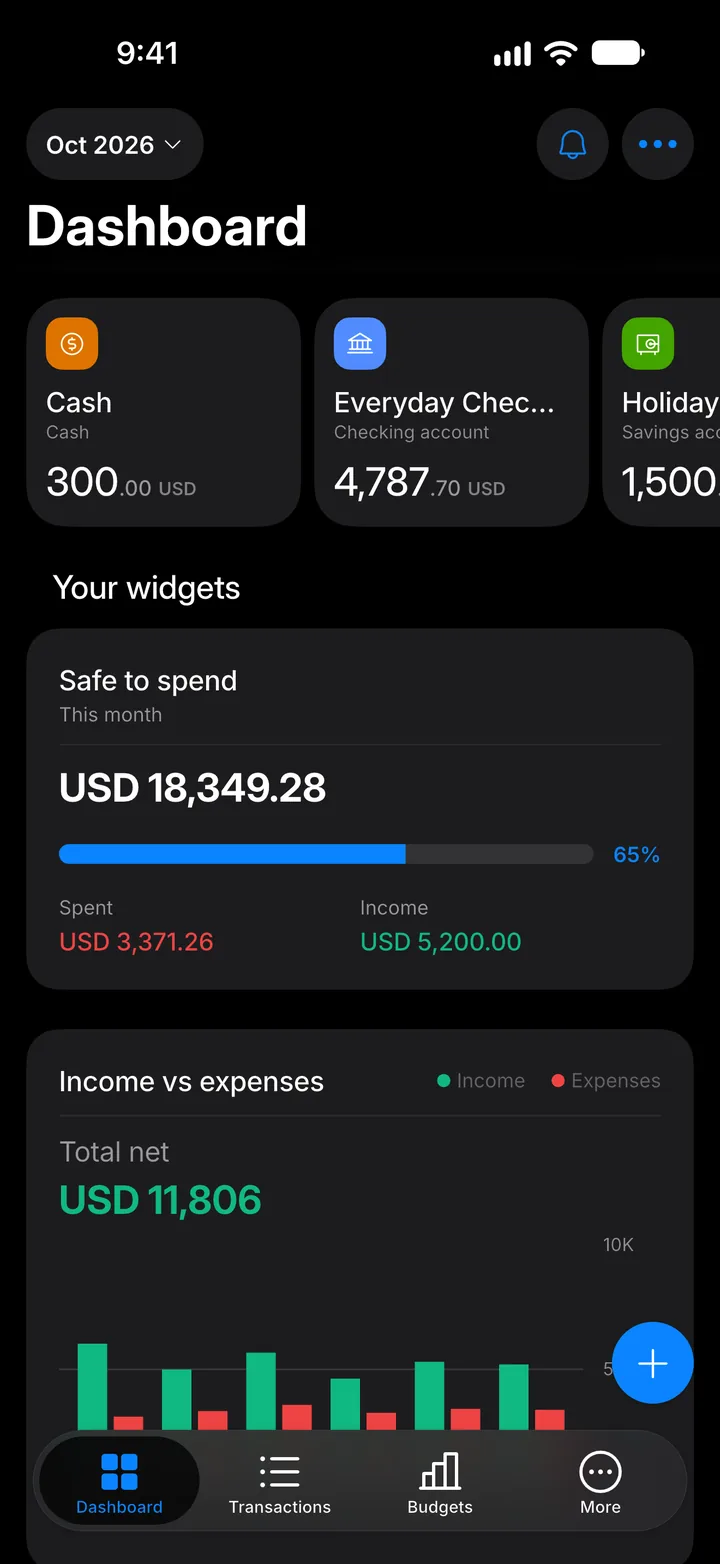
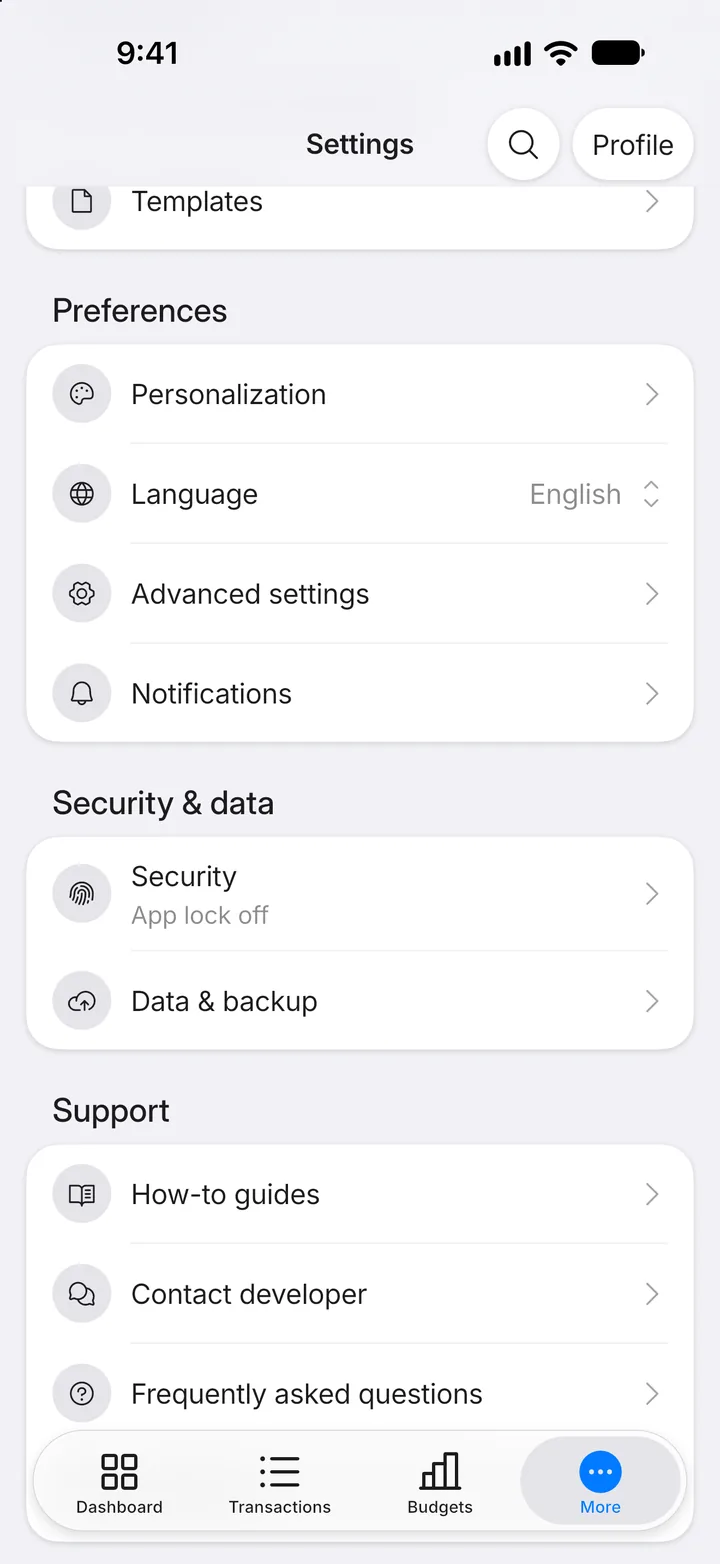
Step 1: Open More
Tap the More tab.
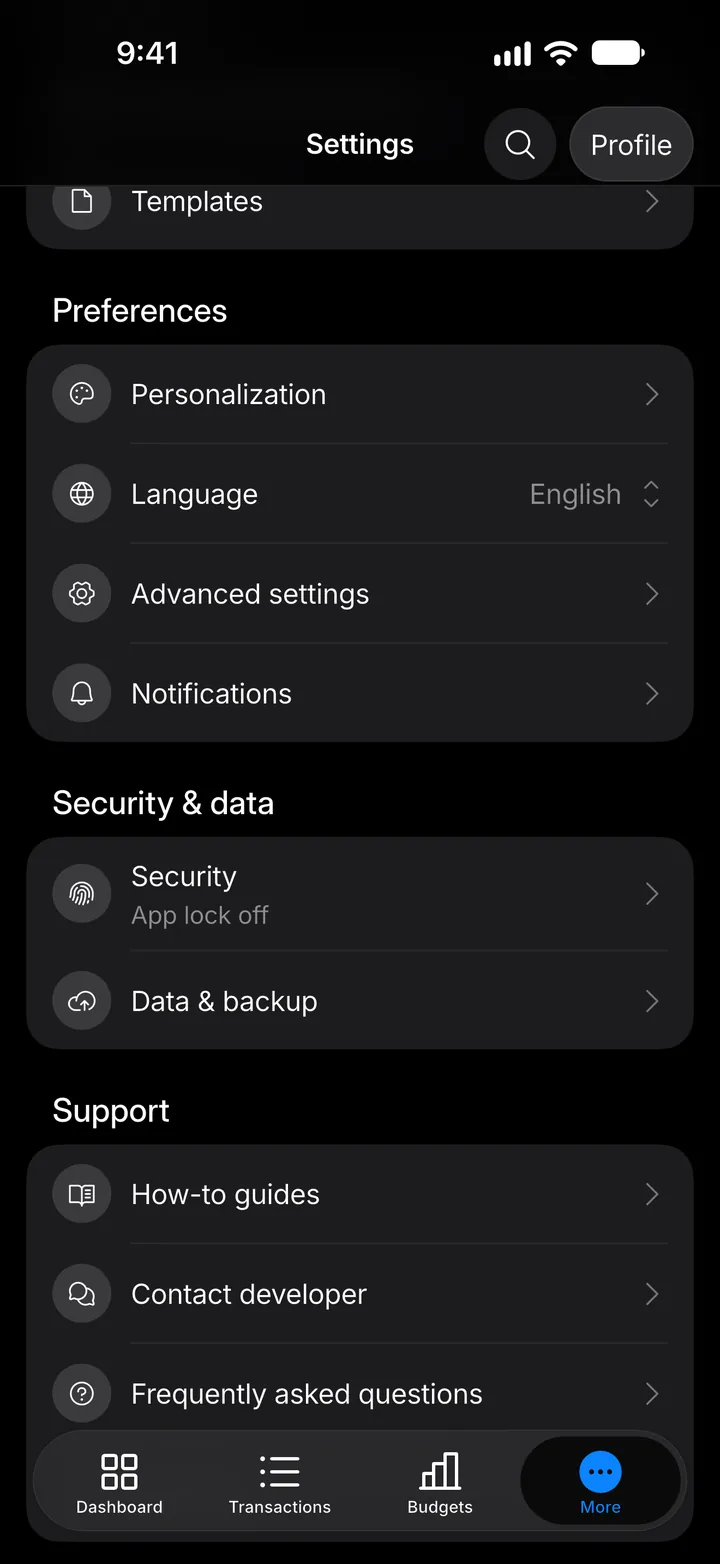
Step 2: Open Security
Tap Security.
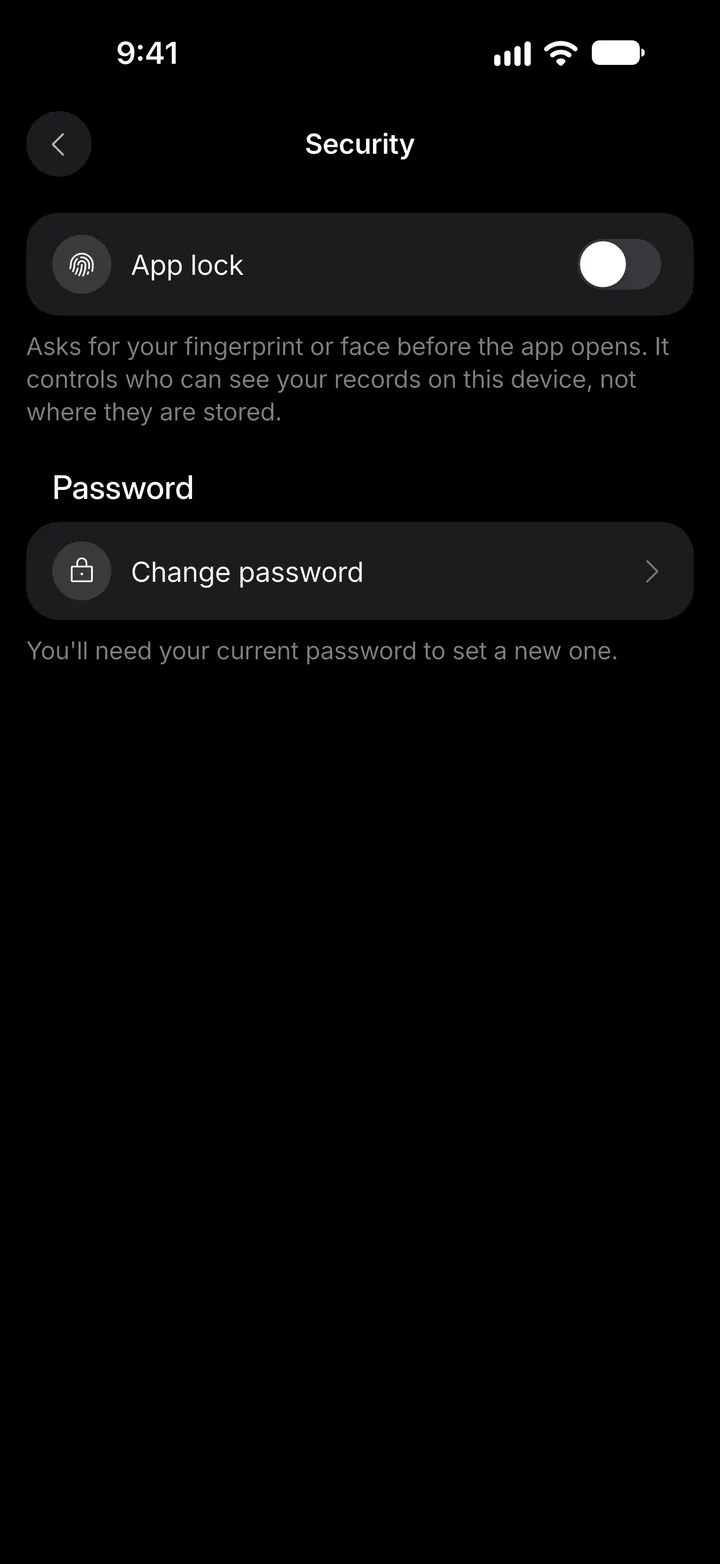
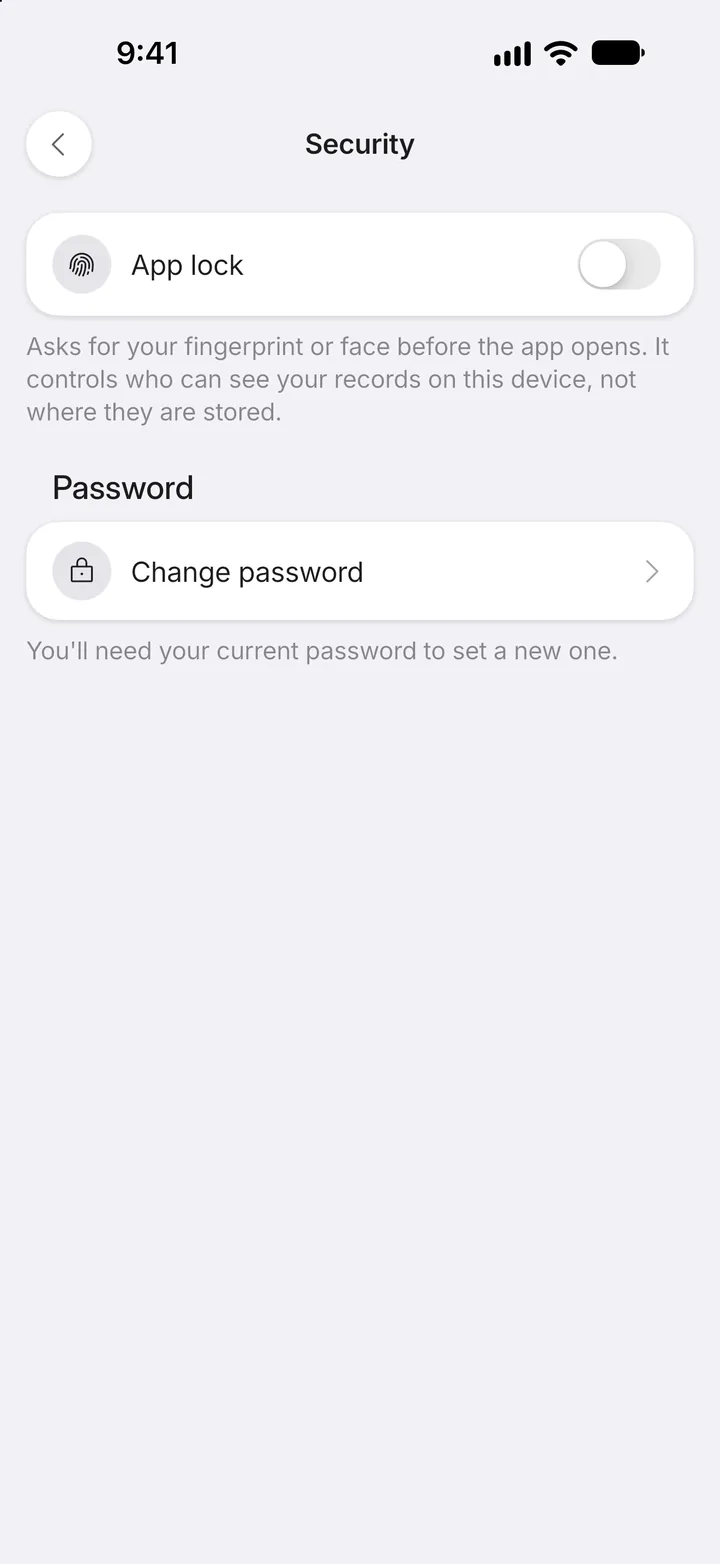
Step 3: Switch on App lock
Switch on App lock.
Step 4: Confirm it's you
Your phone checks your face, fingerprint or passcode once to turn it on. Then choose how soon the app locks again in Require unlock after.