Archive an account
Hide an account you no longer use without losing its history.
7 steps
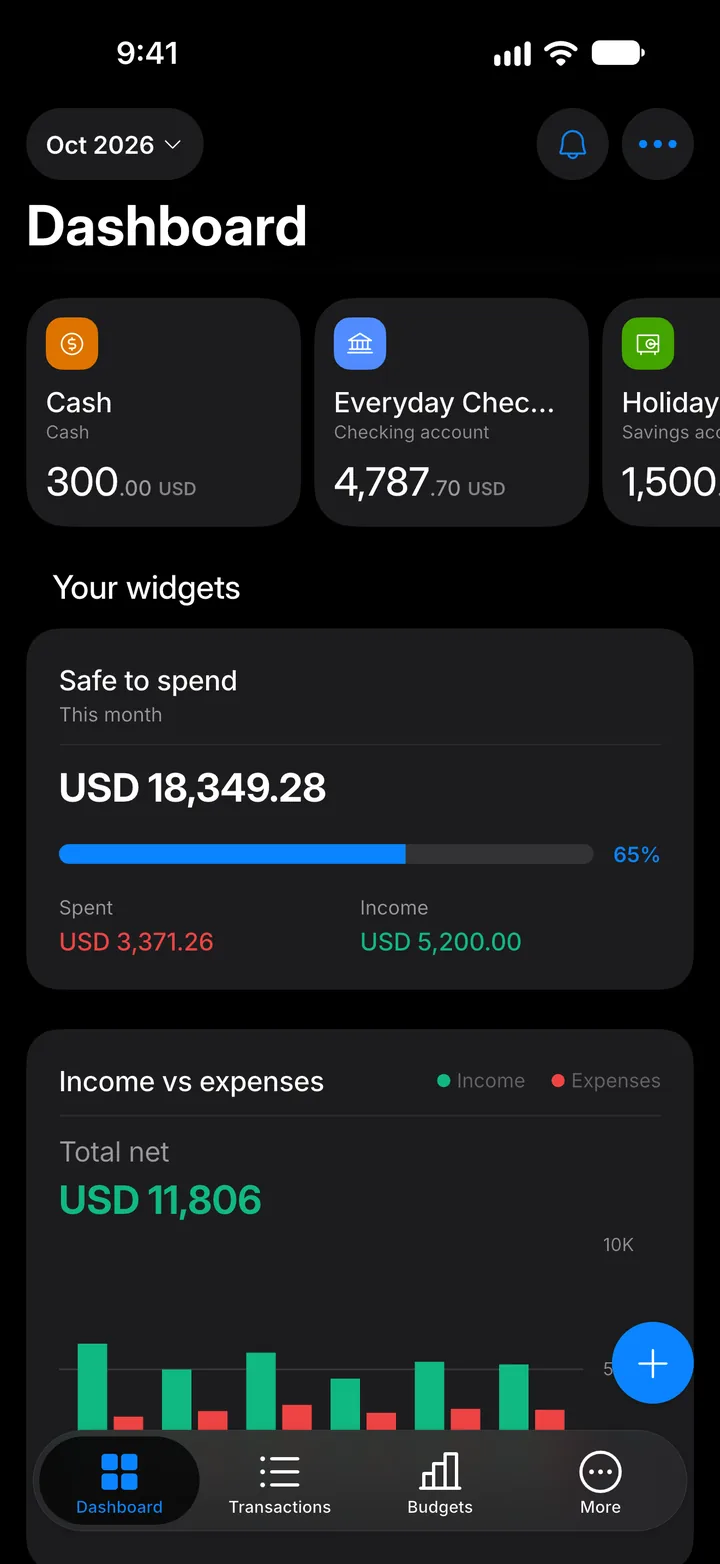
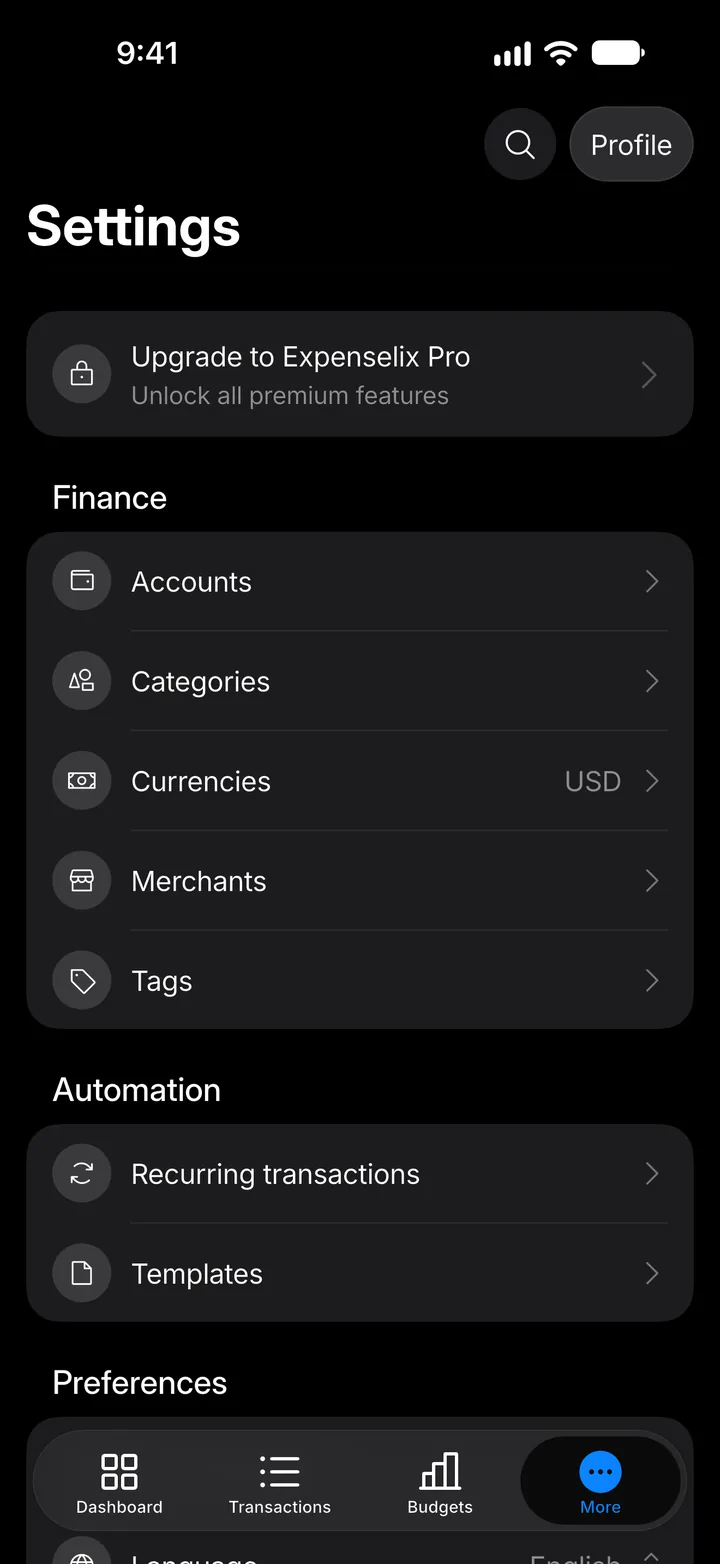
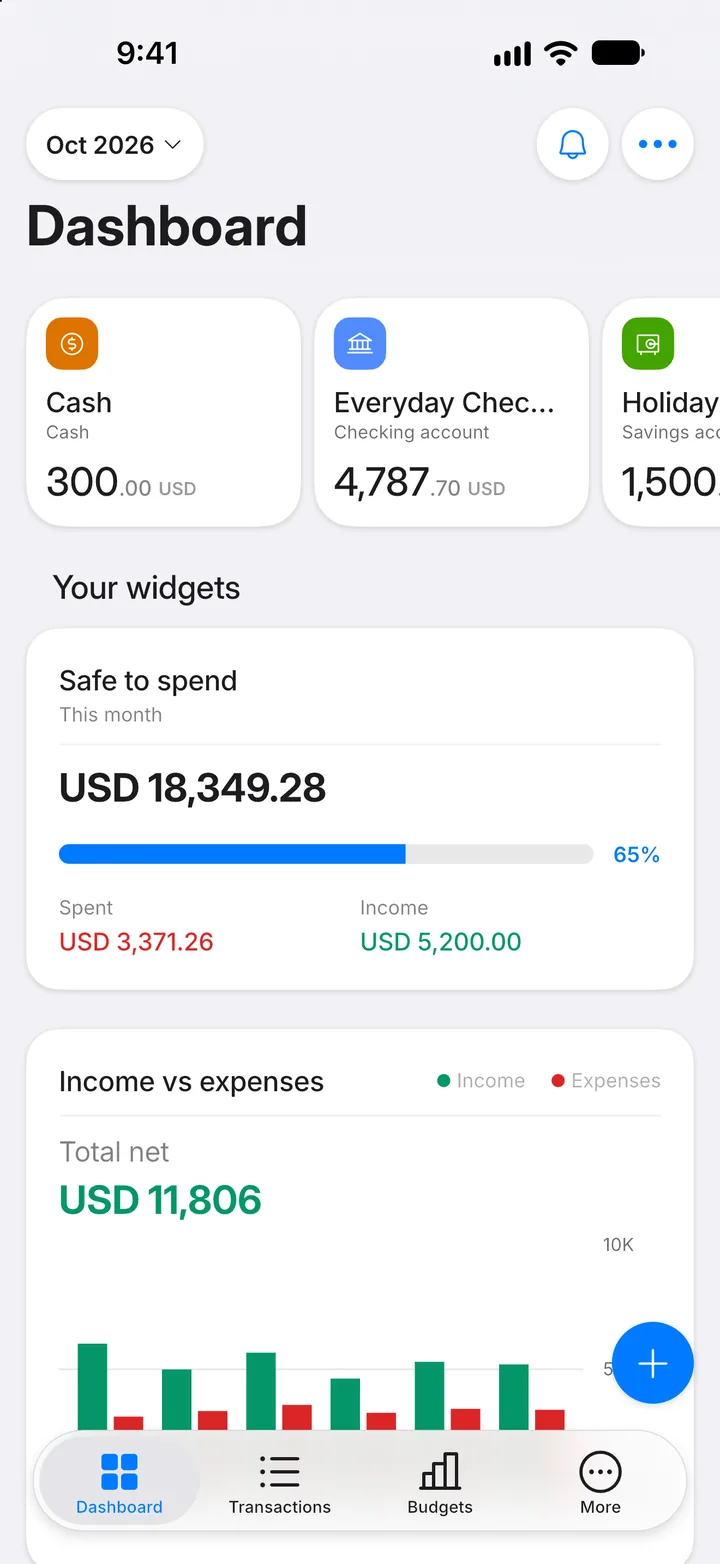
Step 1: Open More
Tap the More tab.
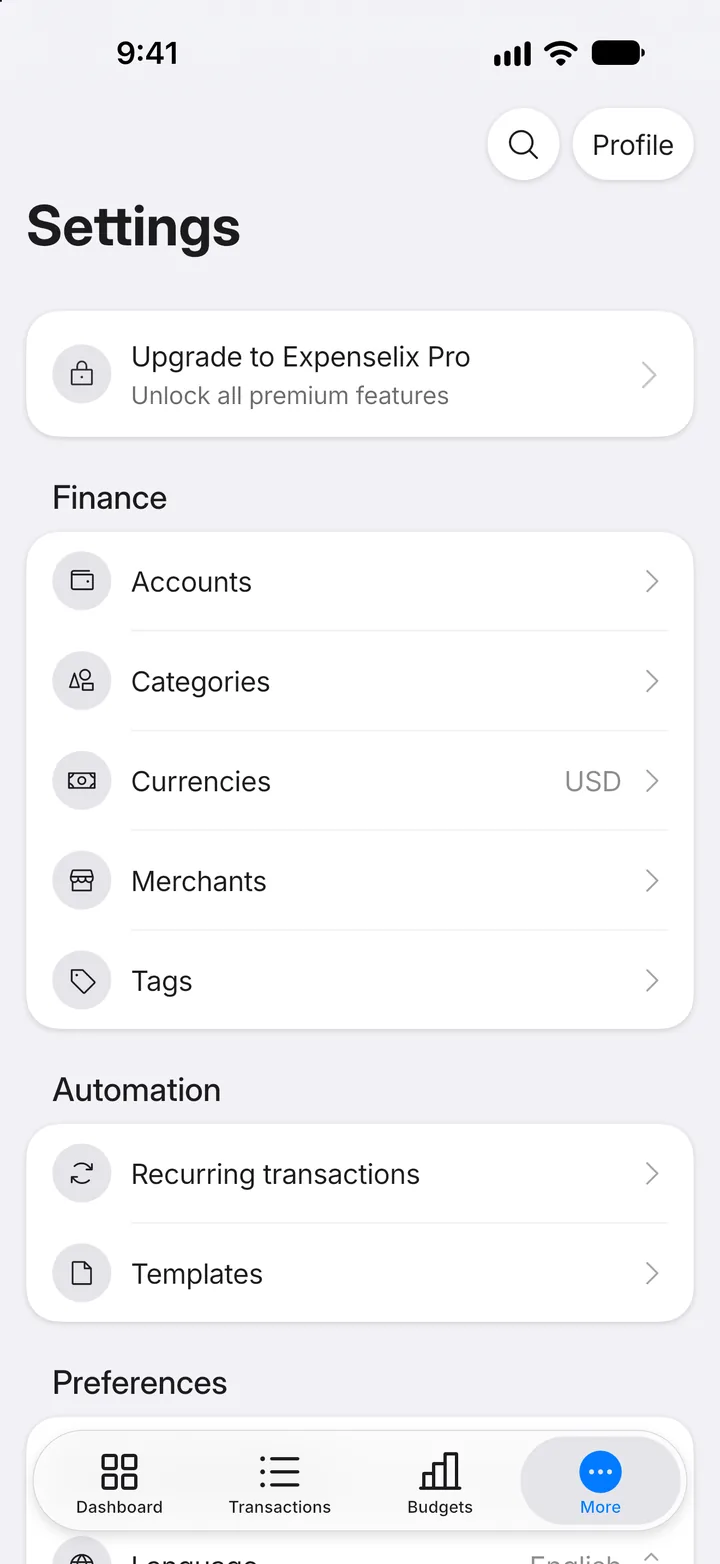
Step 2: Open Accounts
Tap Accounts.
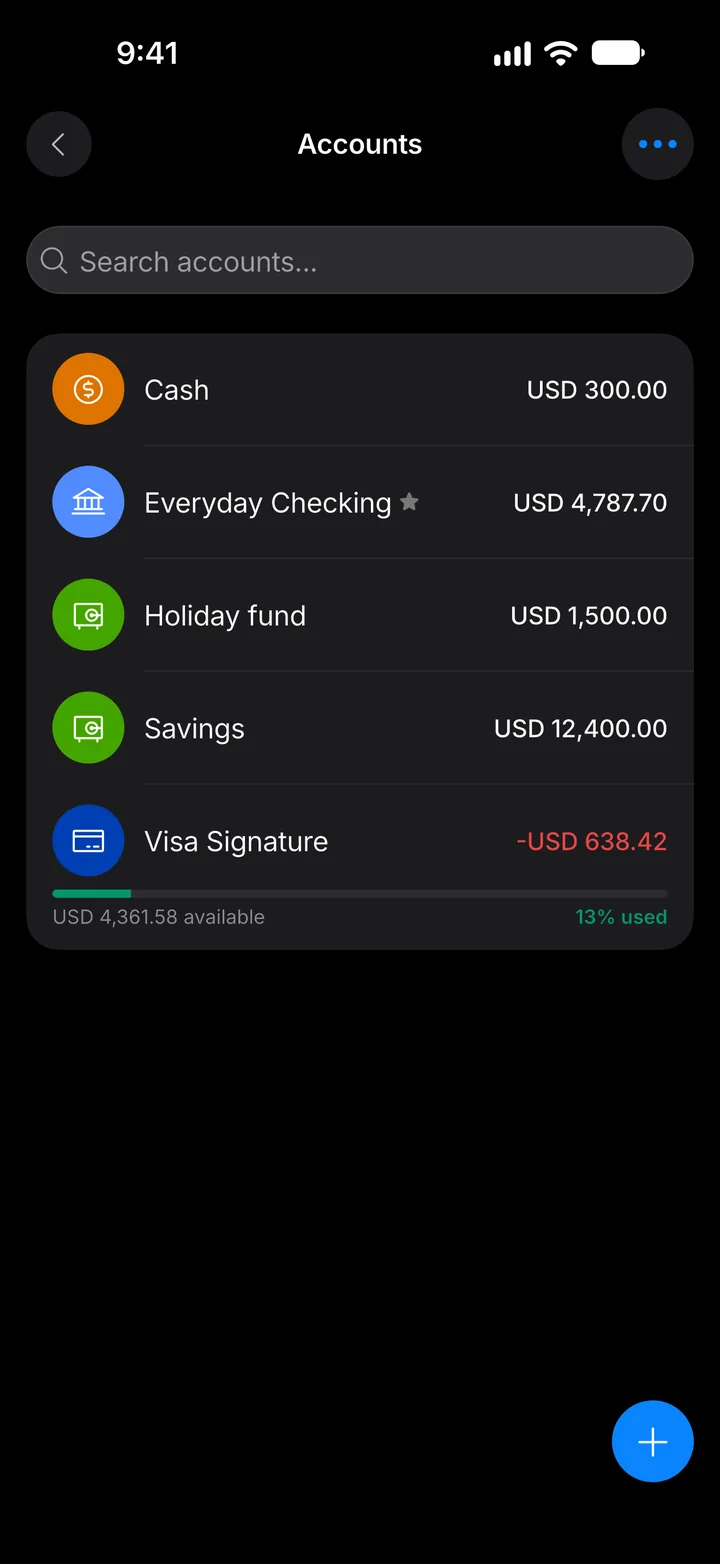
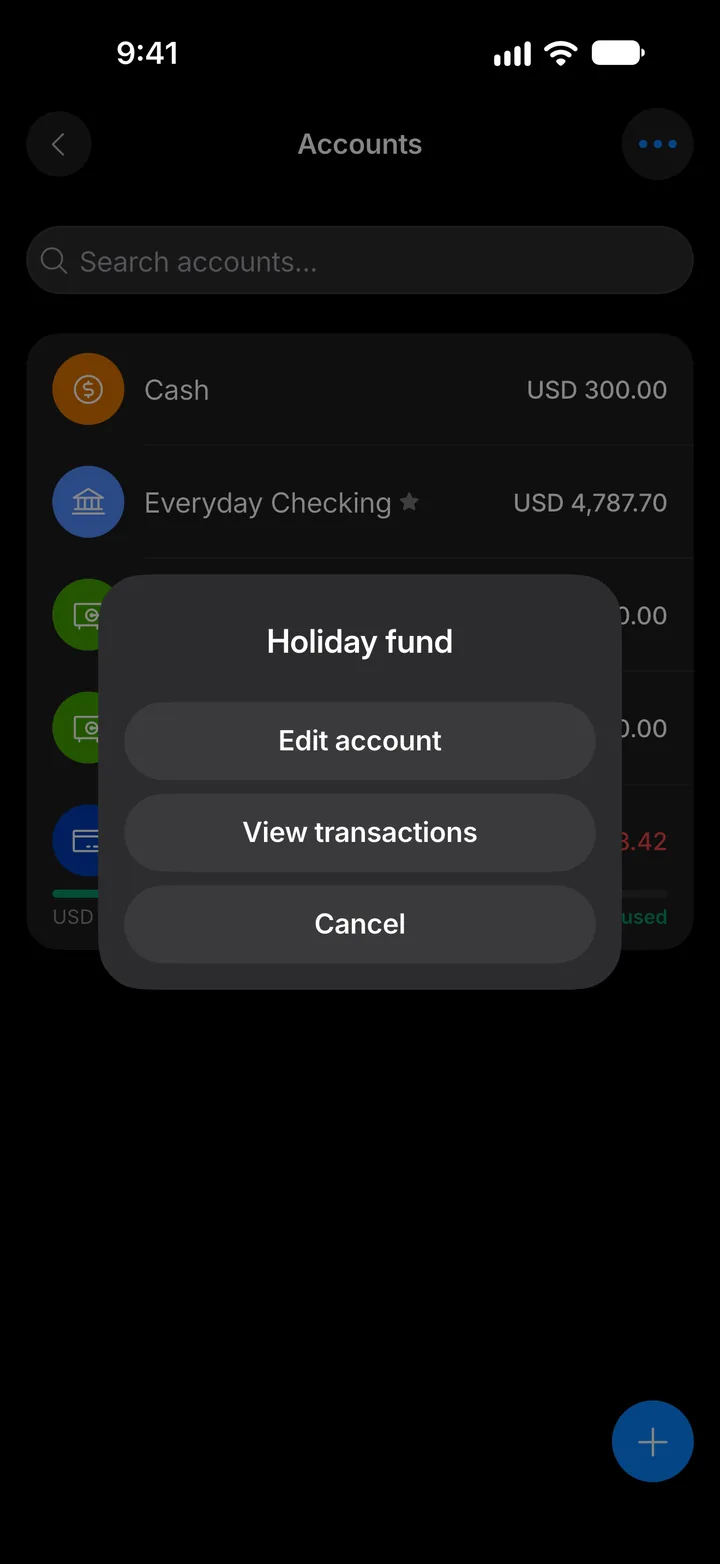
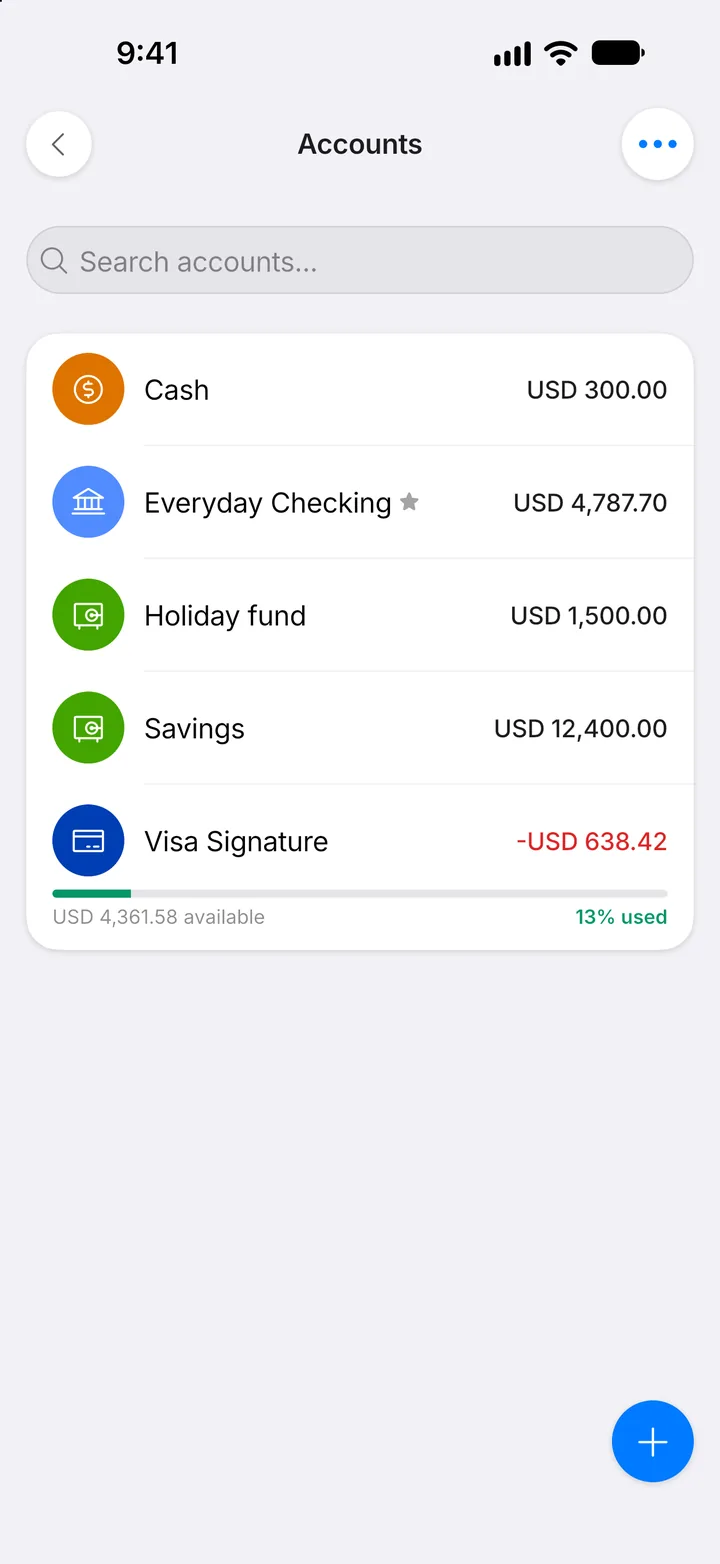
Step 3: Choose the account
Tap the account you want to archive.
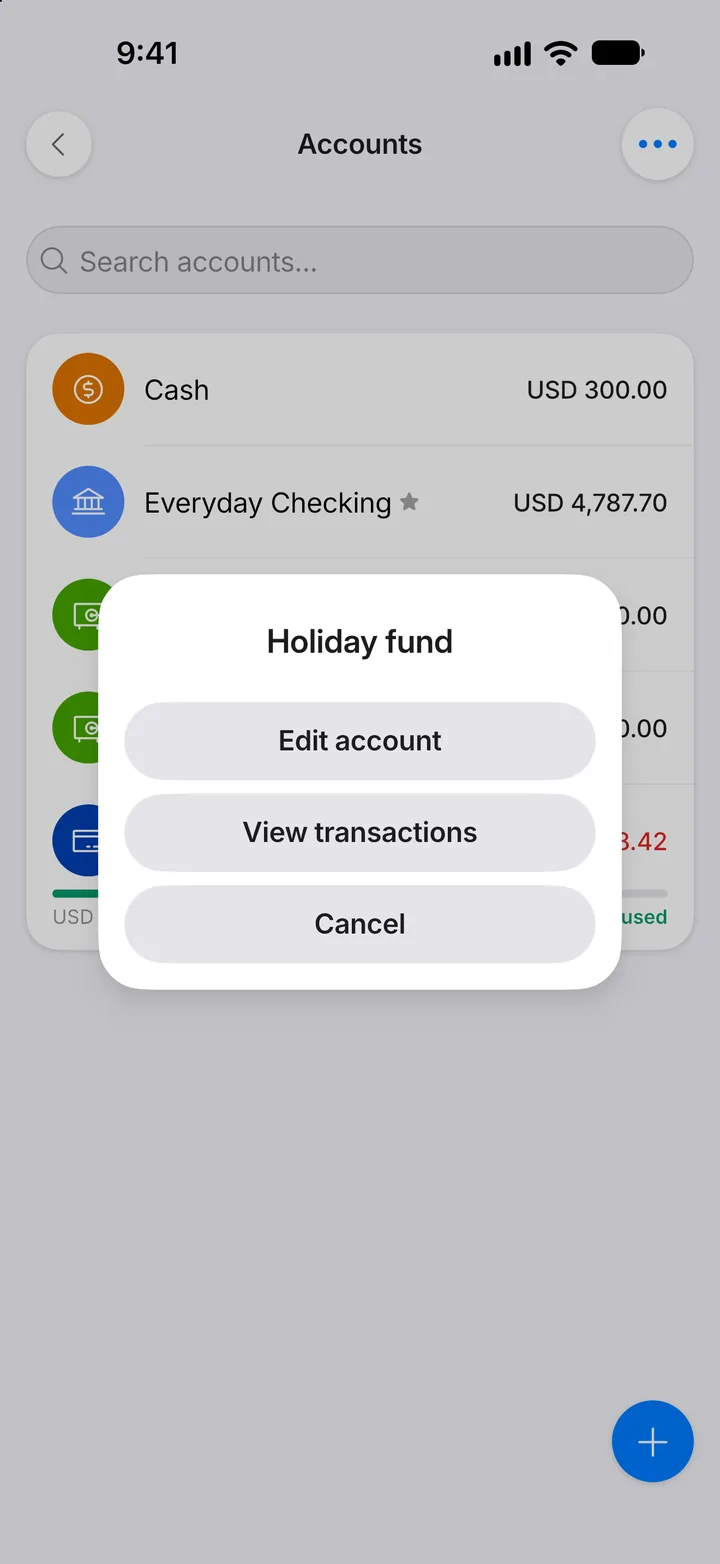
Step 4: Edit it
Tap Edit account.
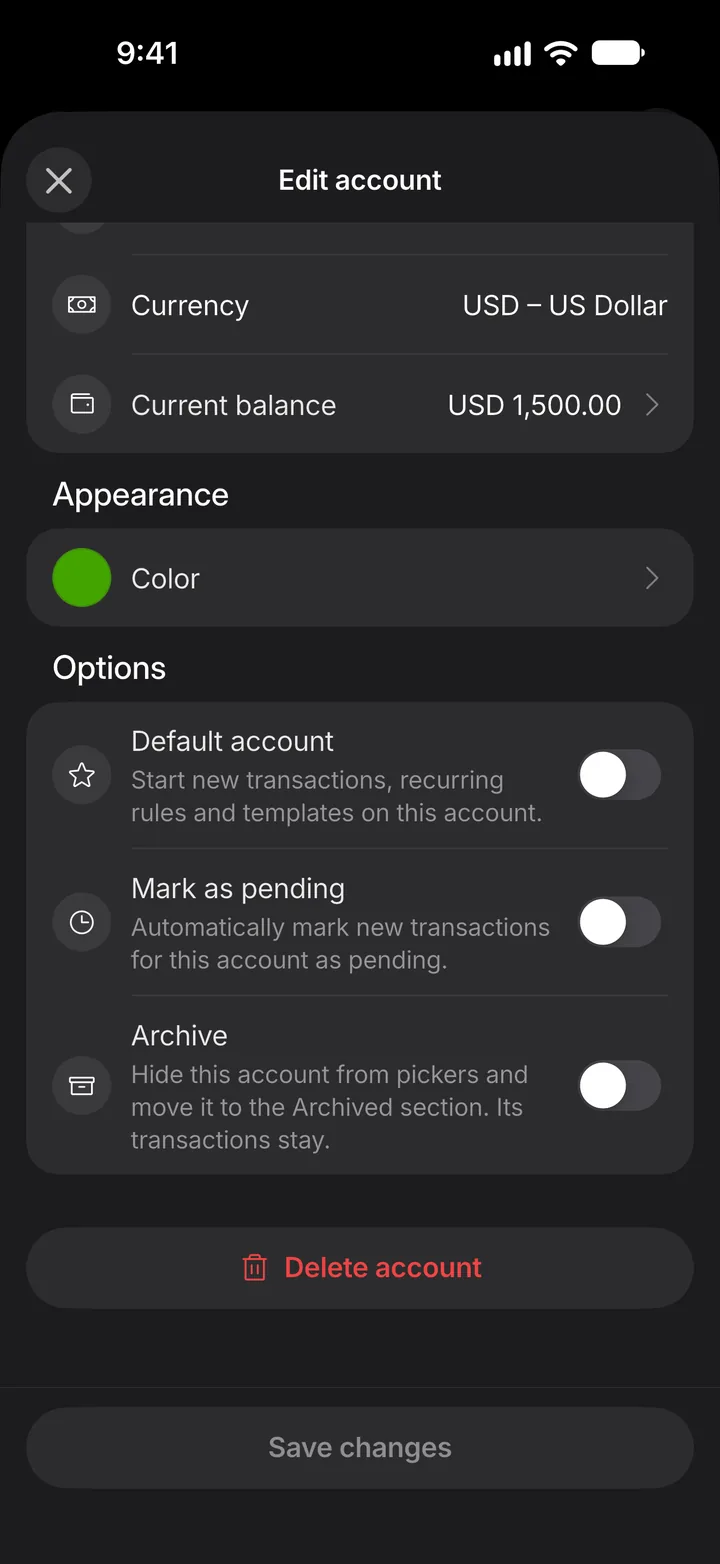
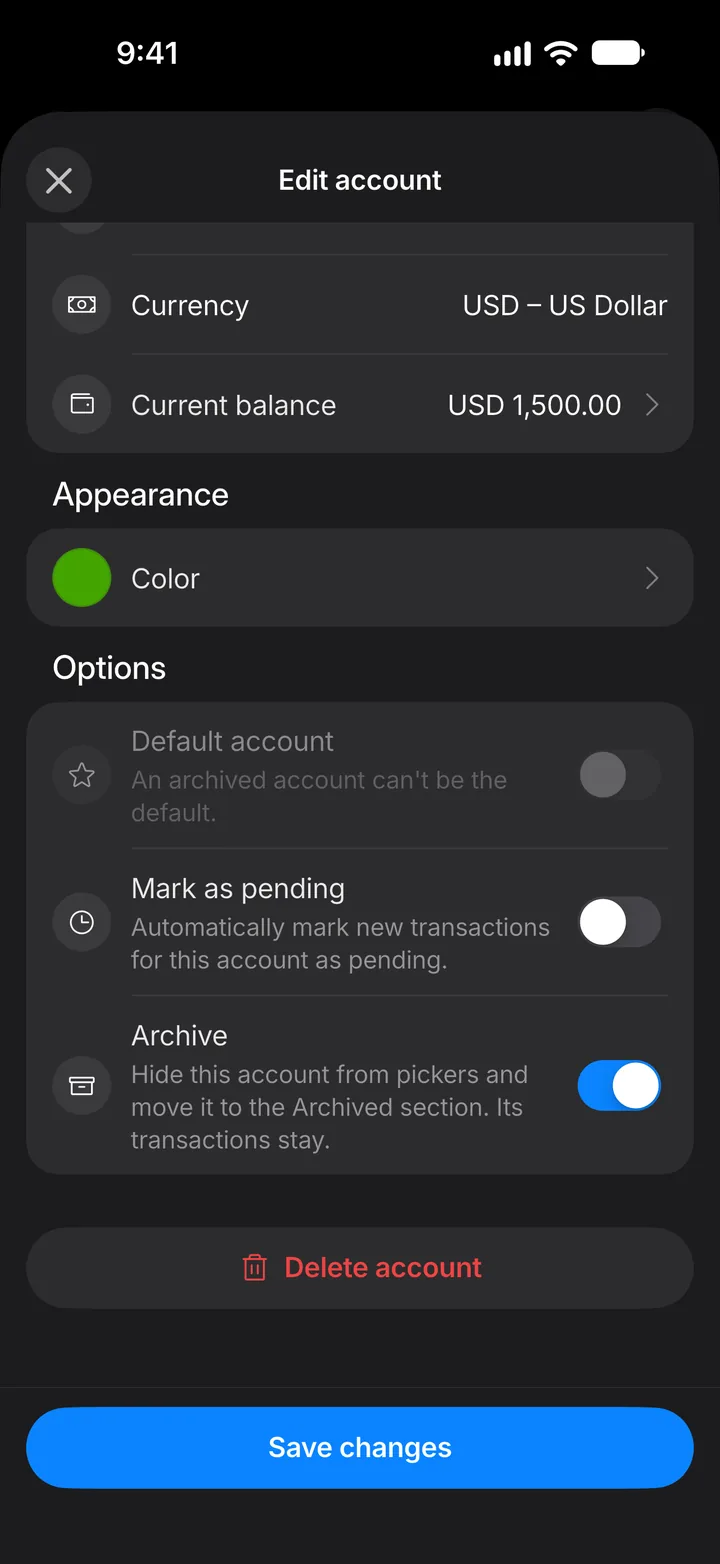
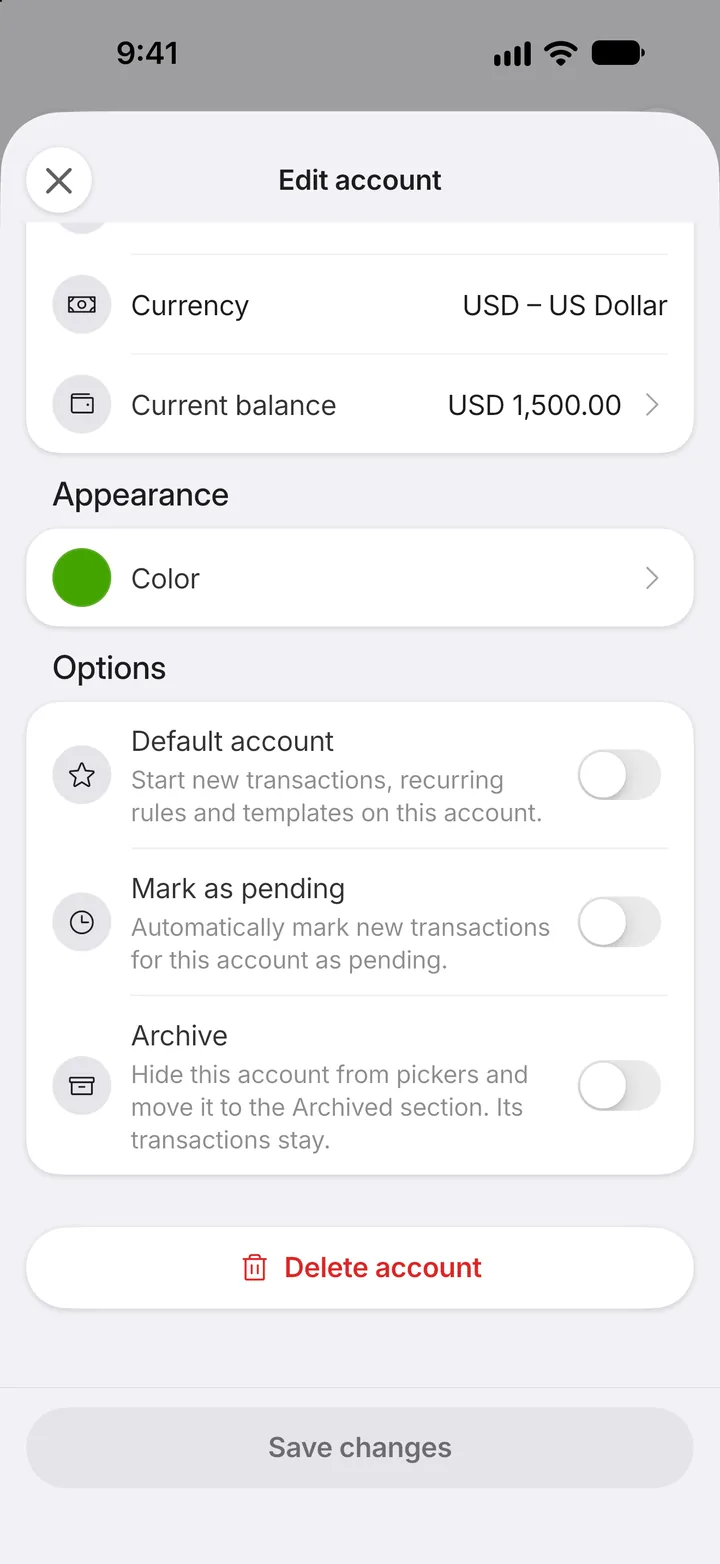
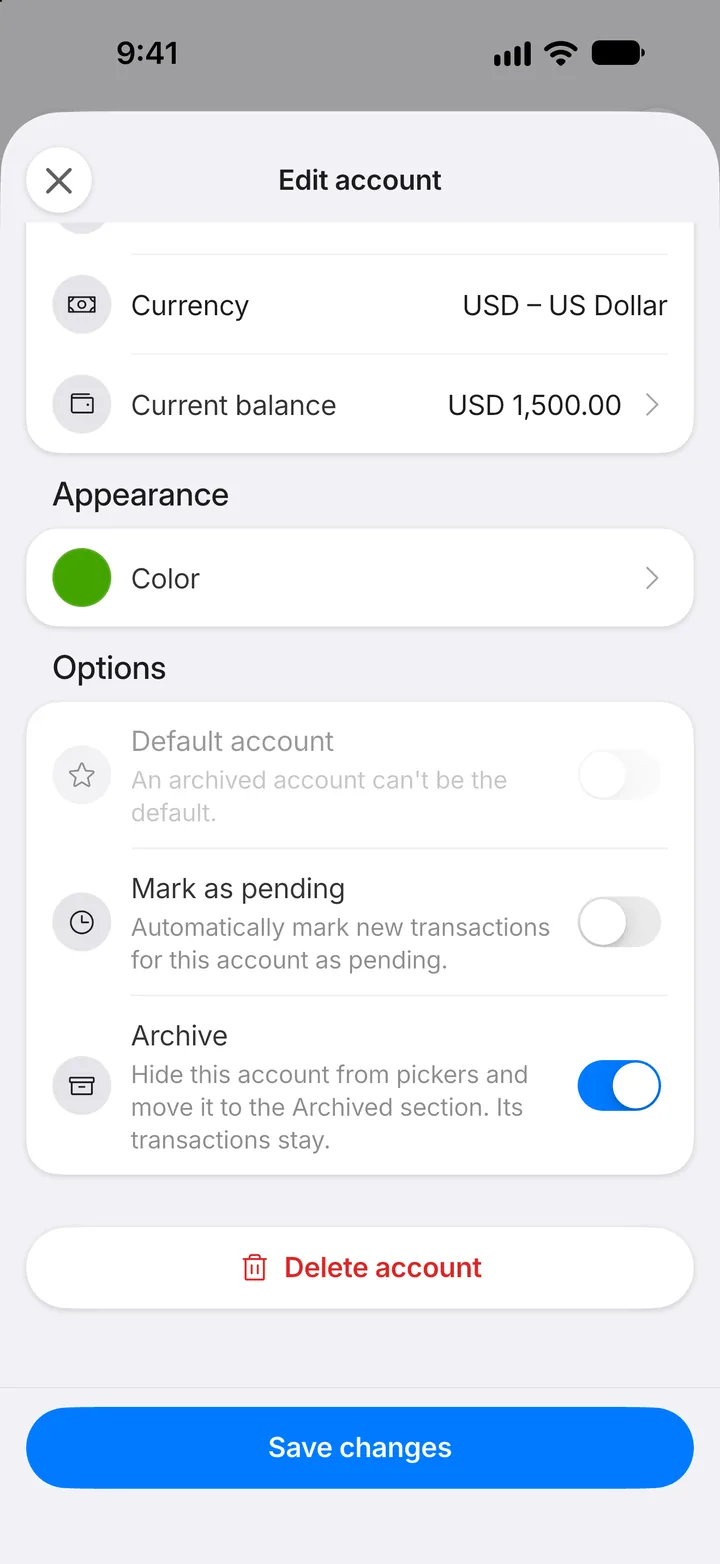
Step 5: Switch on Archive
Scroll down and switch on Archive.
Step 6: Save
Tap Save changes.
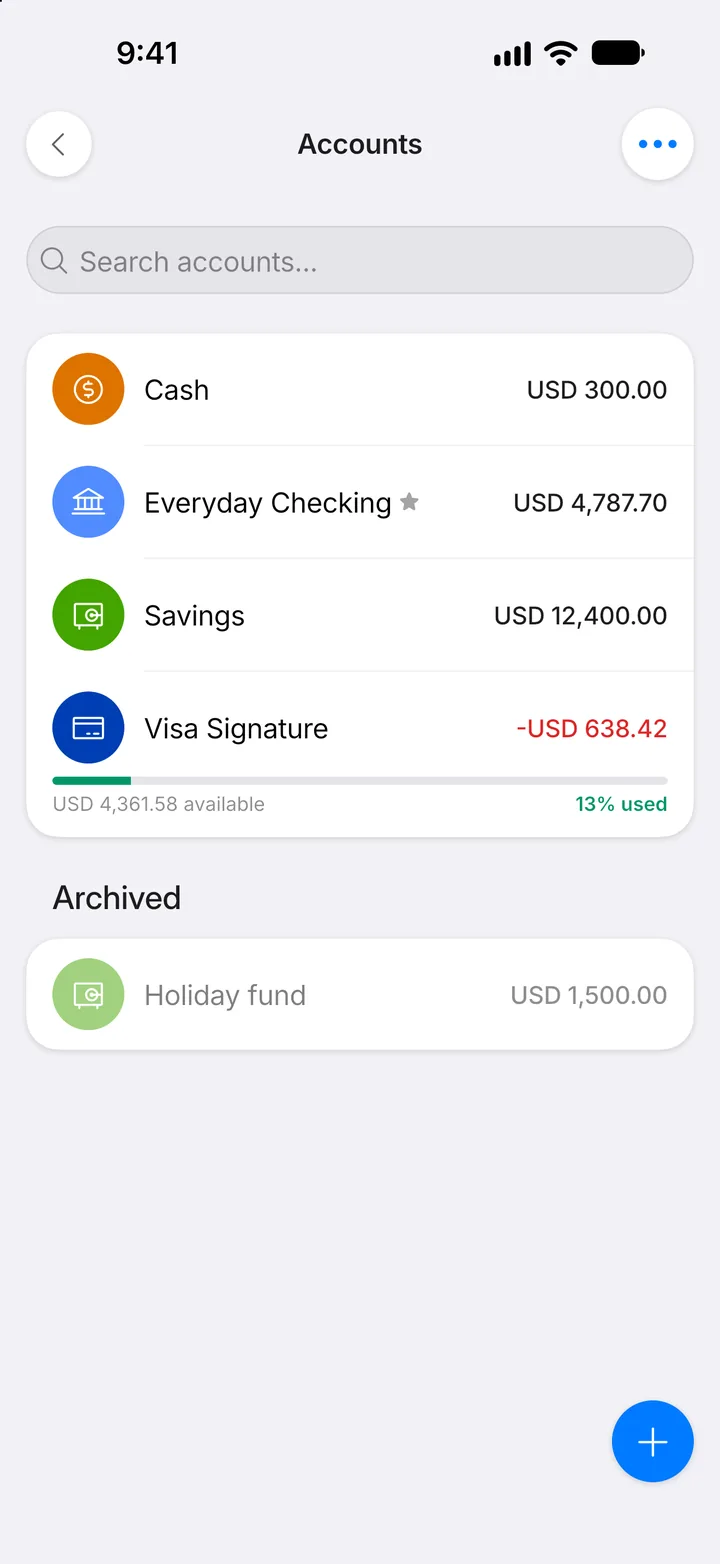
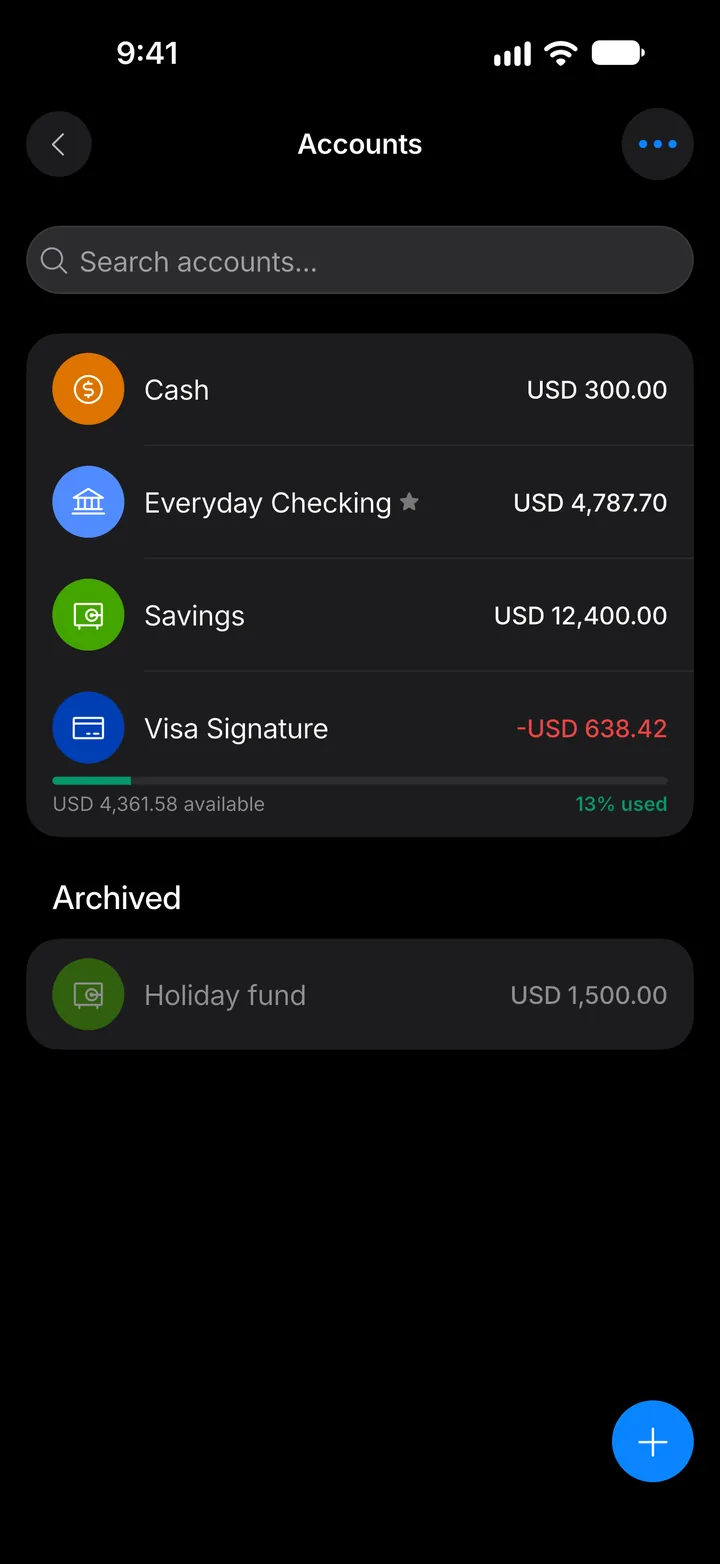
Step 7: Find it later
Archived accounts move to the Archived section at the bottom. Their transactions stay, and you can unarchive them the same way.