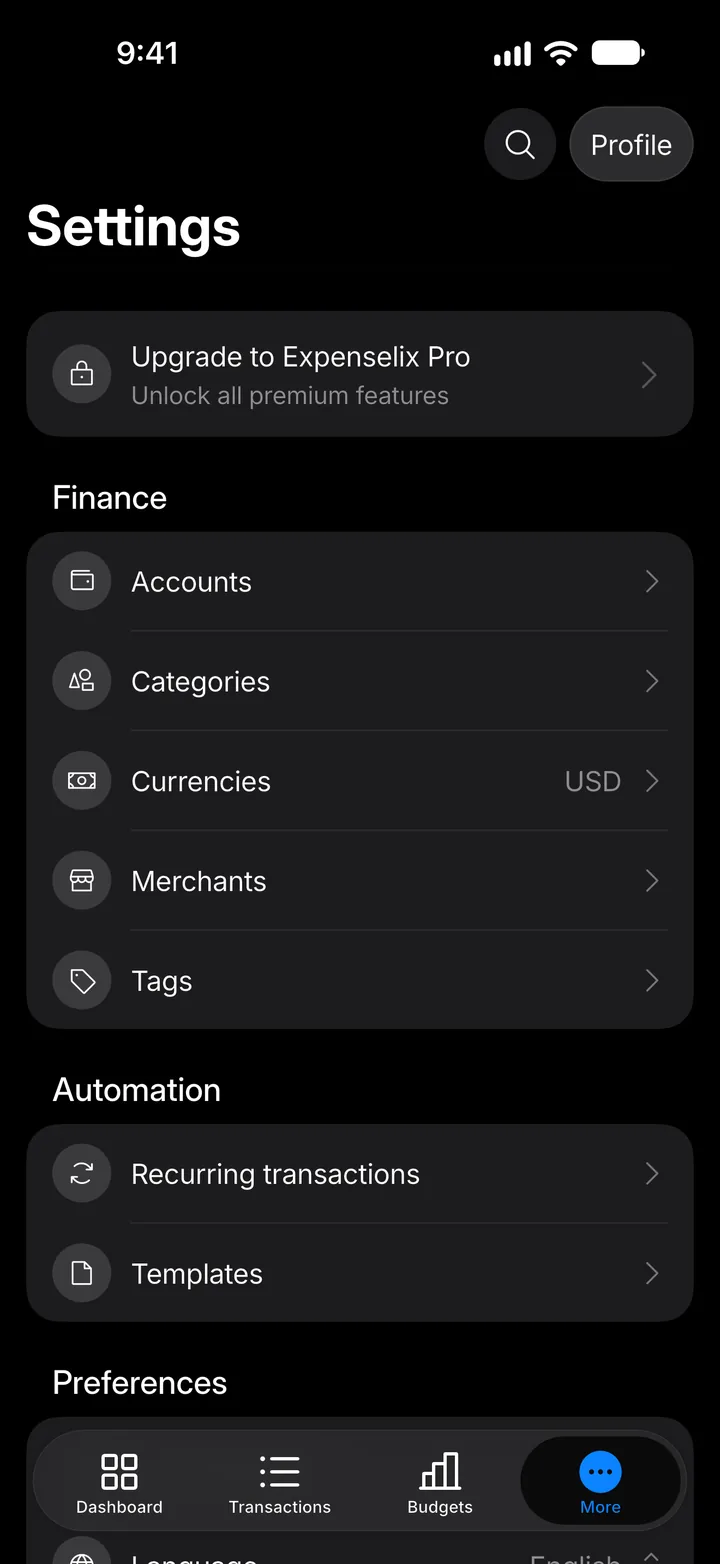
A quick tour of the app
Expenselix has four tabs. Here's what each one is for.
4 steps
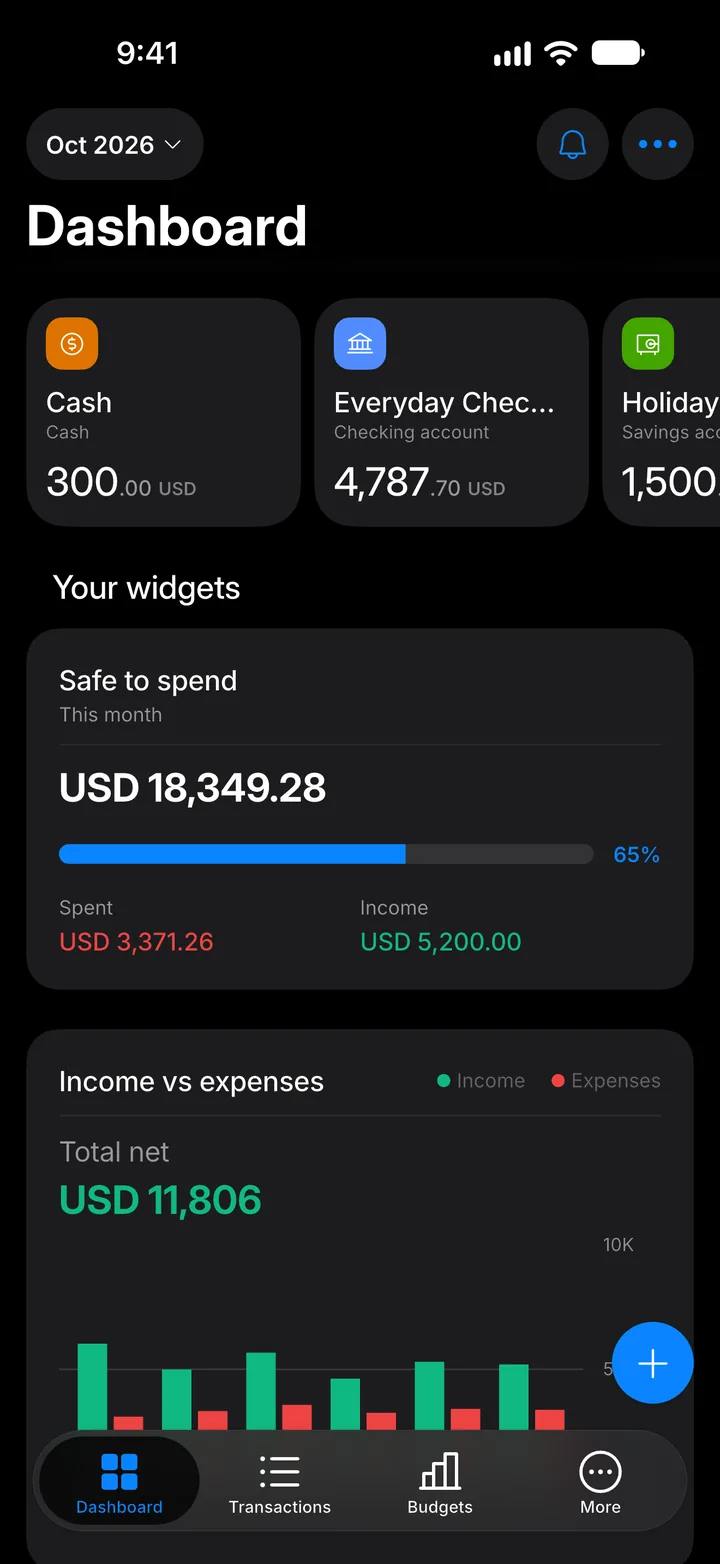
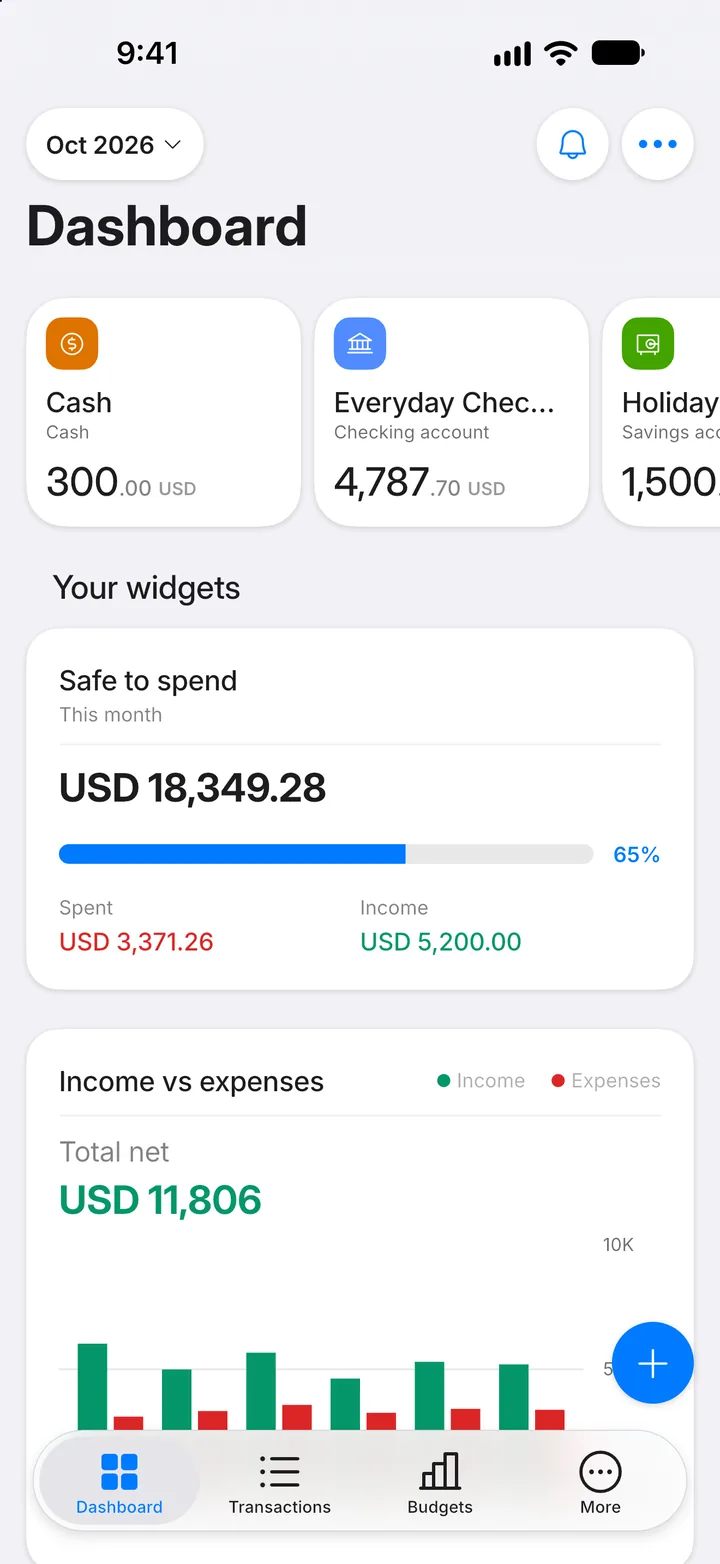
Step 1: Dashboard
Your money at a glance: account balances, what's safe to spend this month, and the widgets you choose.
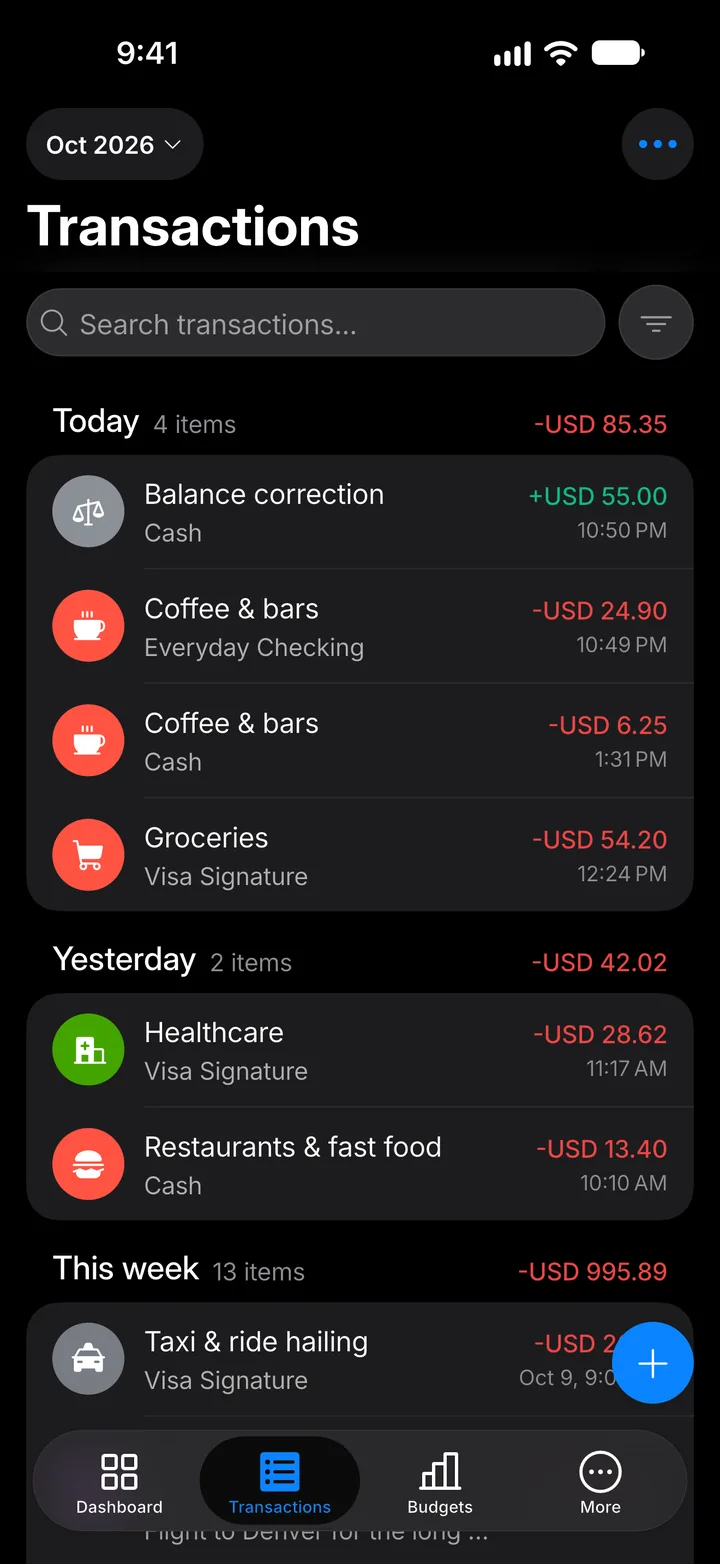
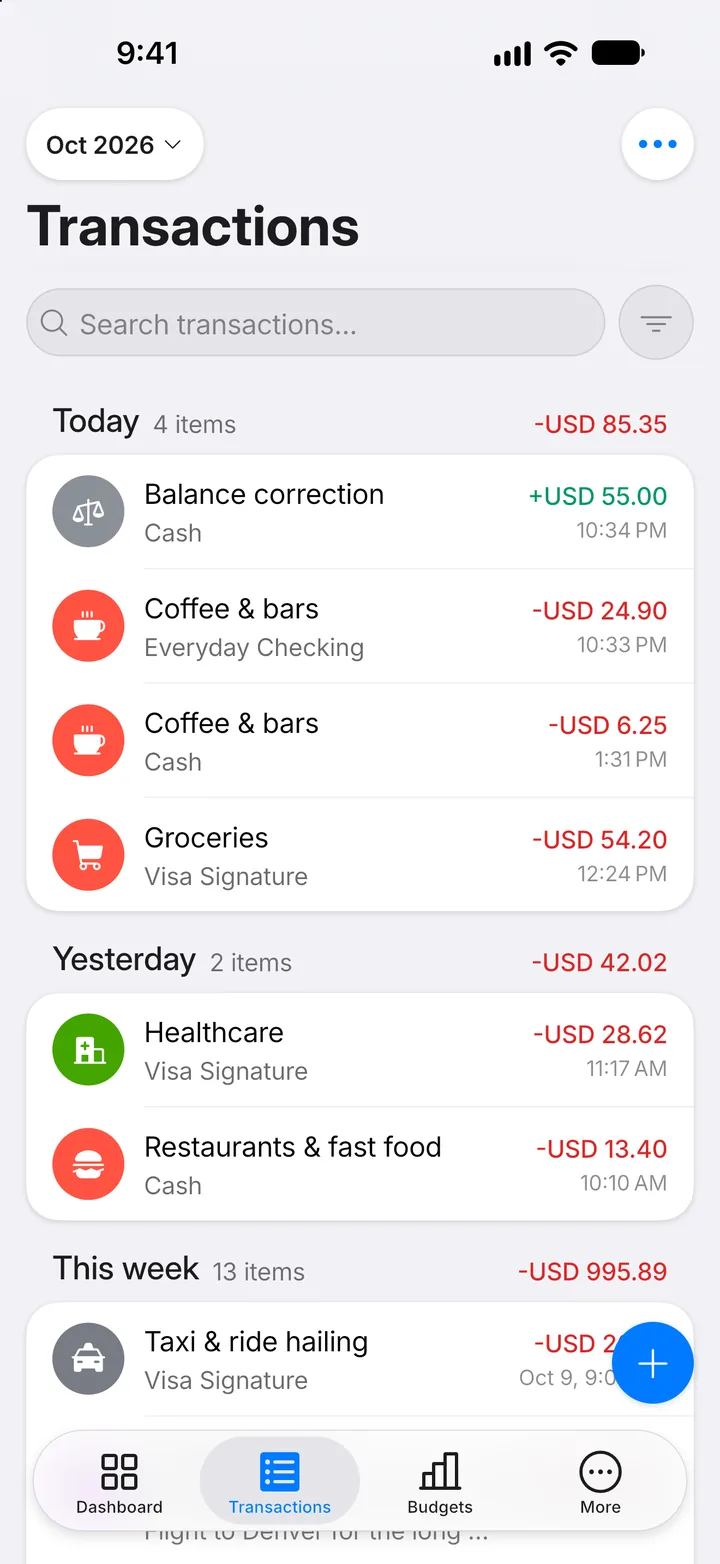
Step 2: Transactions
Everything you've recorded, newest first. Search, filter, or tap one to see the details.
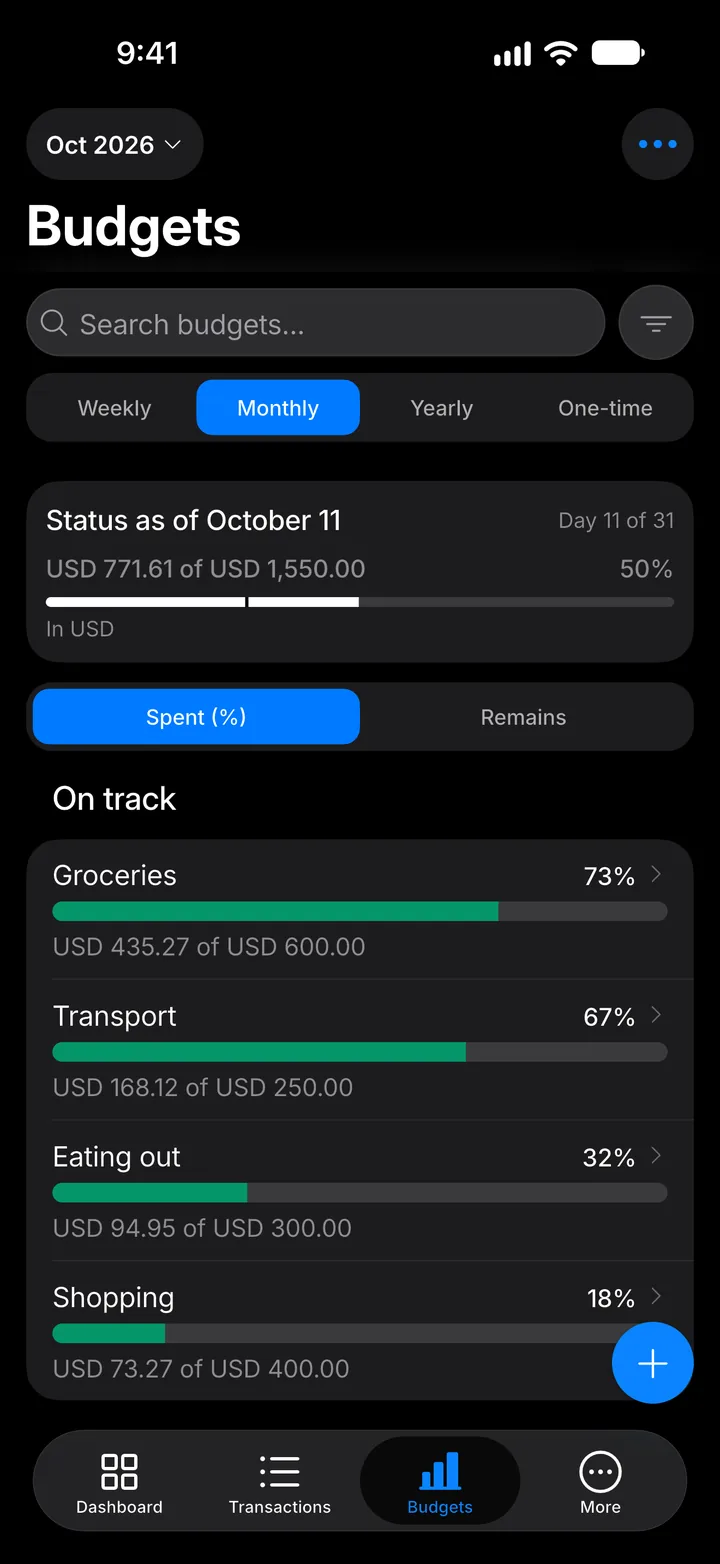
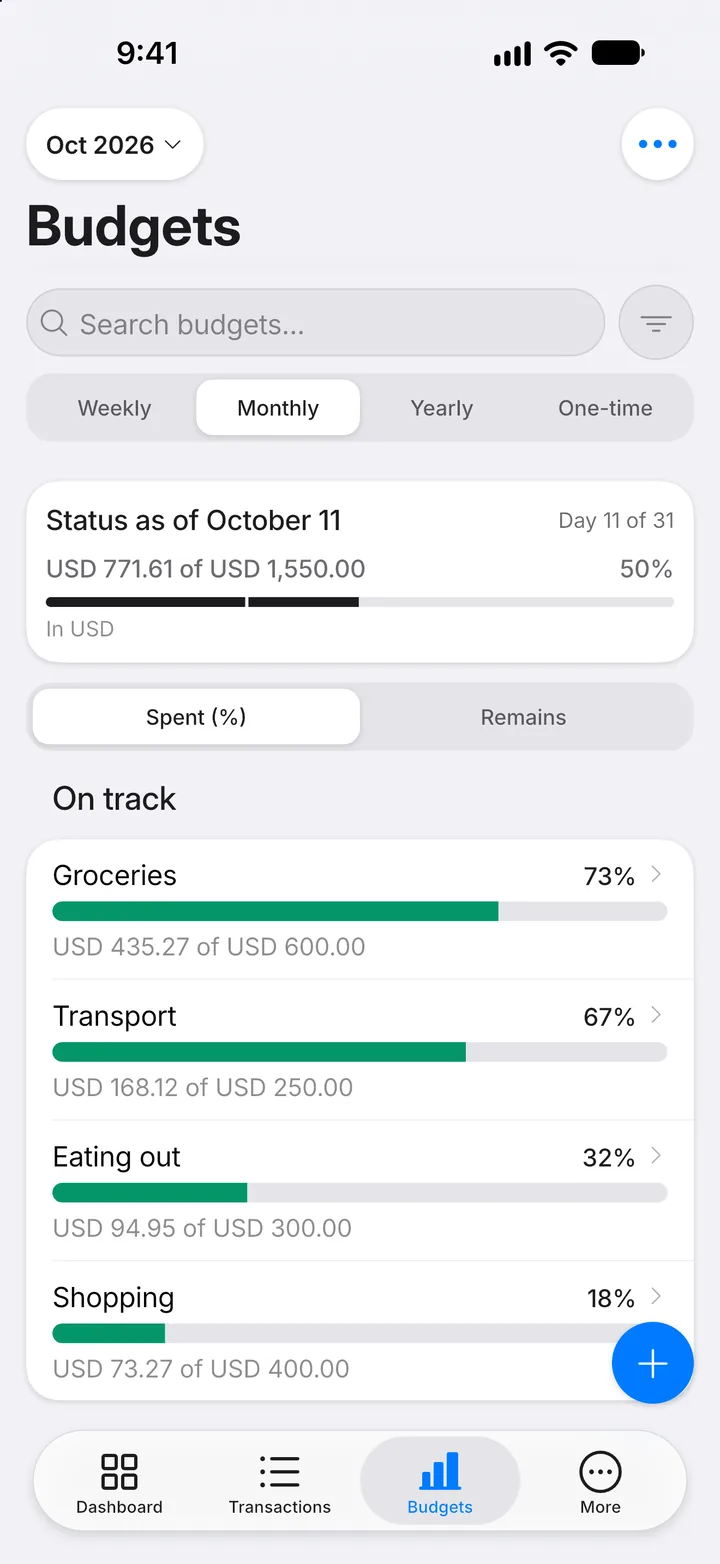
Step 3: Budgets
Your spending limits and how much of each is left this period.
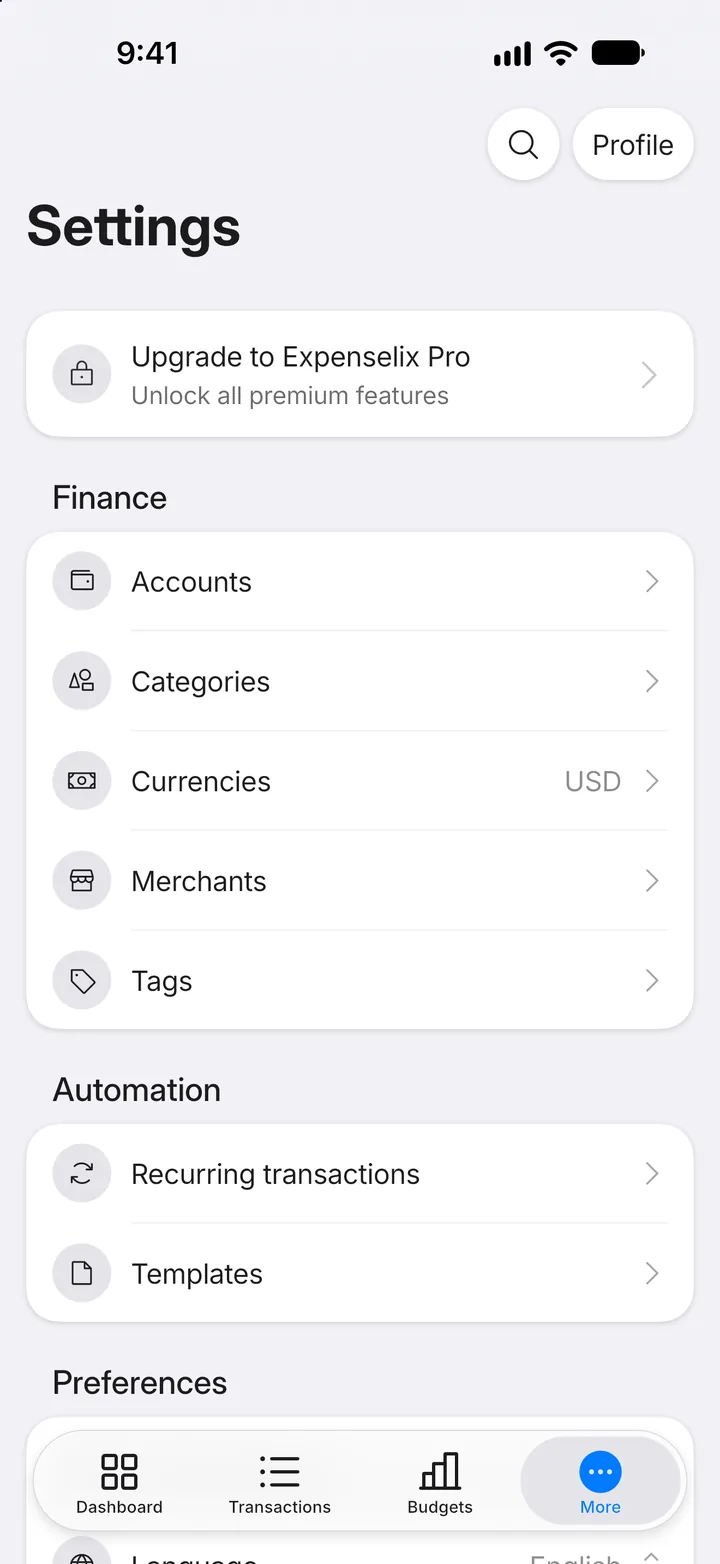
Step 4: More
Your accounts, categories, merchants, recurring transactions and every setting.